
How do I add resources?
1
Expand course items
Click the
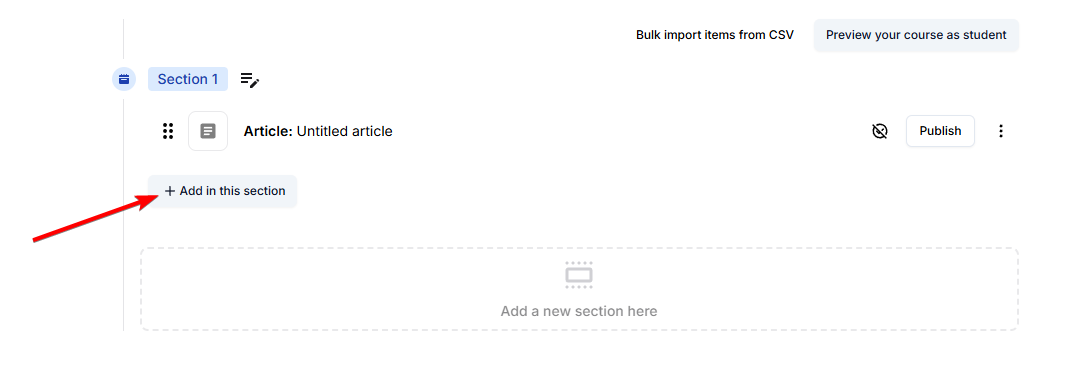
+ button to expand the course items’ view.2
Add a Resources item
Click on
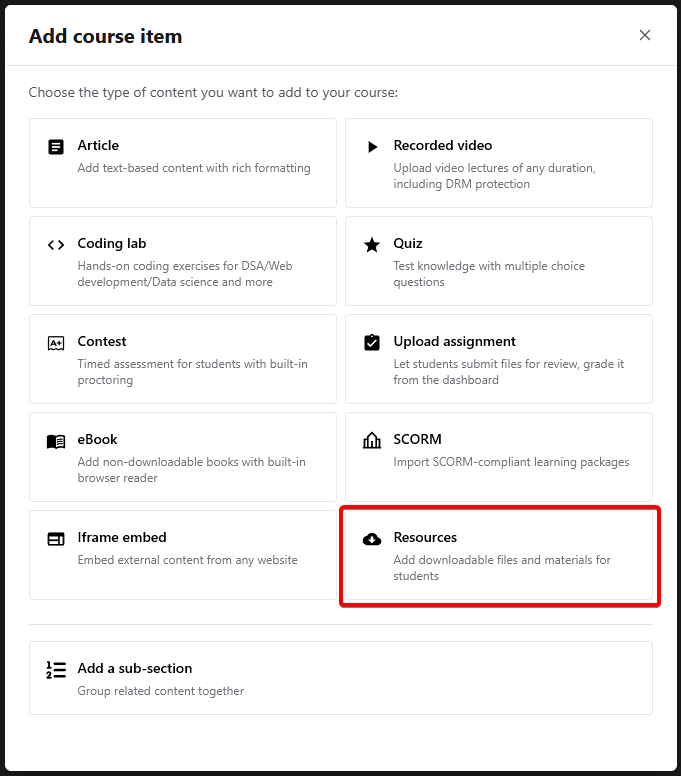
Resources. This will add a resources item inside your section.3
Enter details
Enter a
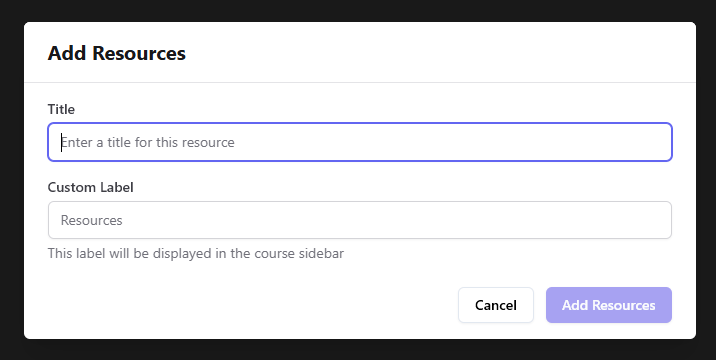
Title and Label for your resource.4
Edit and upload files
Click on the newly added
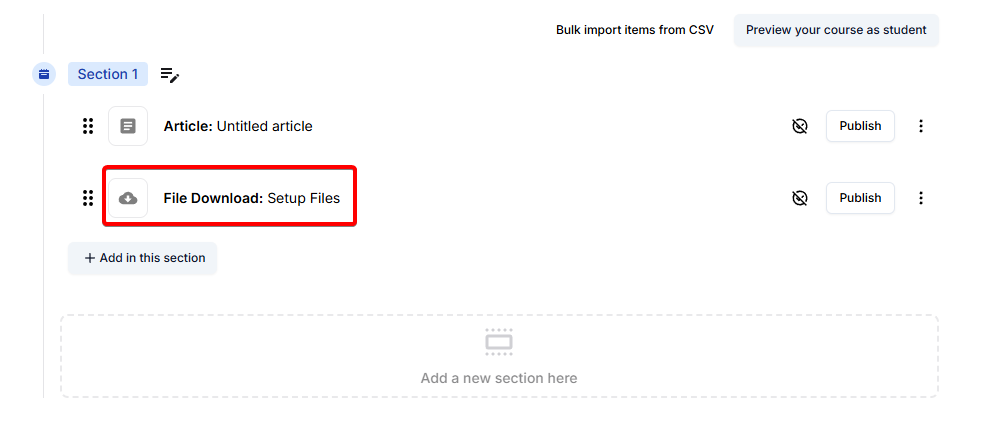
From here, you can edit the Name, Label and also upload files:
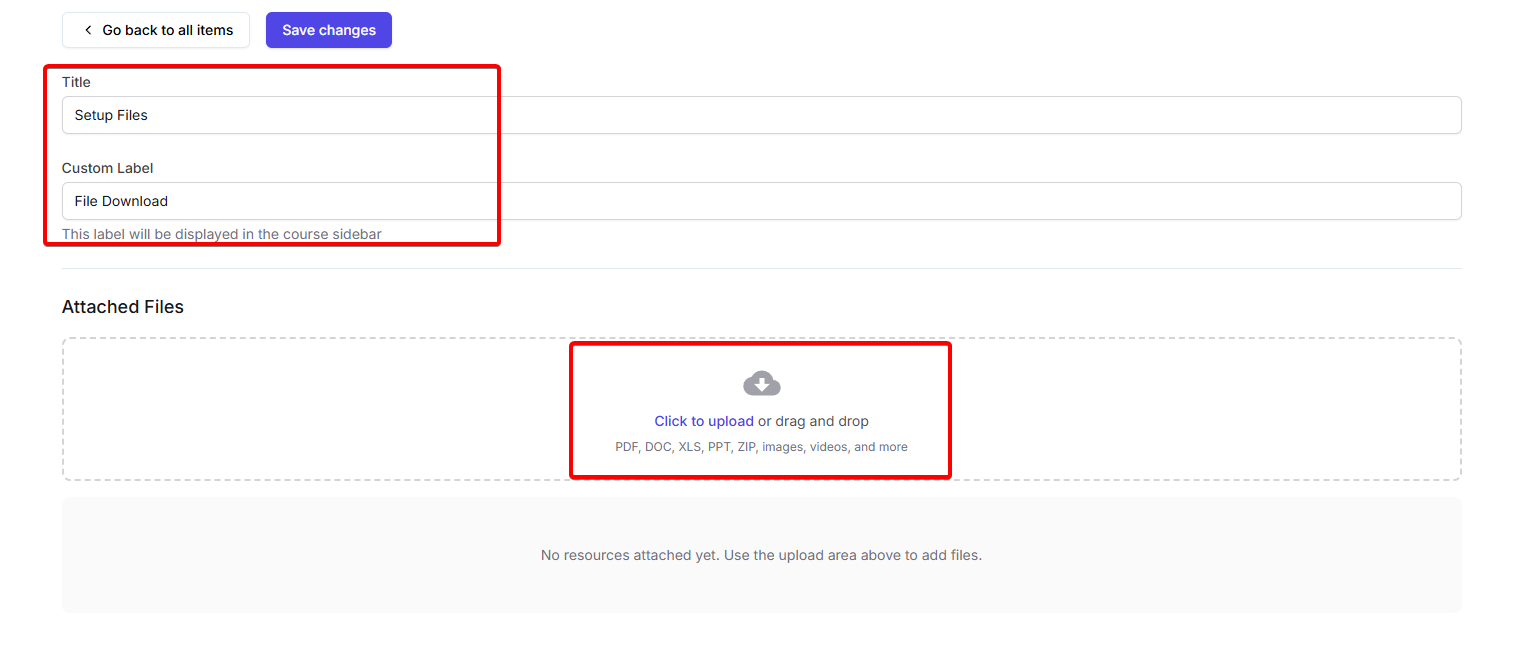
Resource item to edit it and add files.From here, you can edit the Name, Label and also upload files:
5
Save and publish
Save your changes and publish the item to make it available to students.