
Introduction
WhatsApp Marketing allows you to connect your WhatsApp Business account to Fermion and send automated reminders for your live classes. In today’s fast-paced world, students often miss live sessions due to forgetfulness or busy schedules. By integrating WhatsApp, you can ensure timely notifications and increase attendance rates, improving engagement and student satisfaction.Connecting WhatsApp Business to Fermion
Follow these steps to link your WhatsApp Business account to Fermion and enable automatic class reminders.1
Enable WhatsApp and Email Marketing Features
Go to Manage Features in Fermion and ensure that “Email and WhatsApp Marketing” feature in the marketing section is enabled. Without this, you will not be able to connect to WhatsApp or send automated reminders. To learn more about enabling features, head over to manage features
2
Navigate to WhatsApp marketing
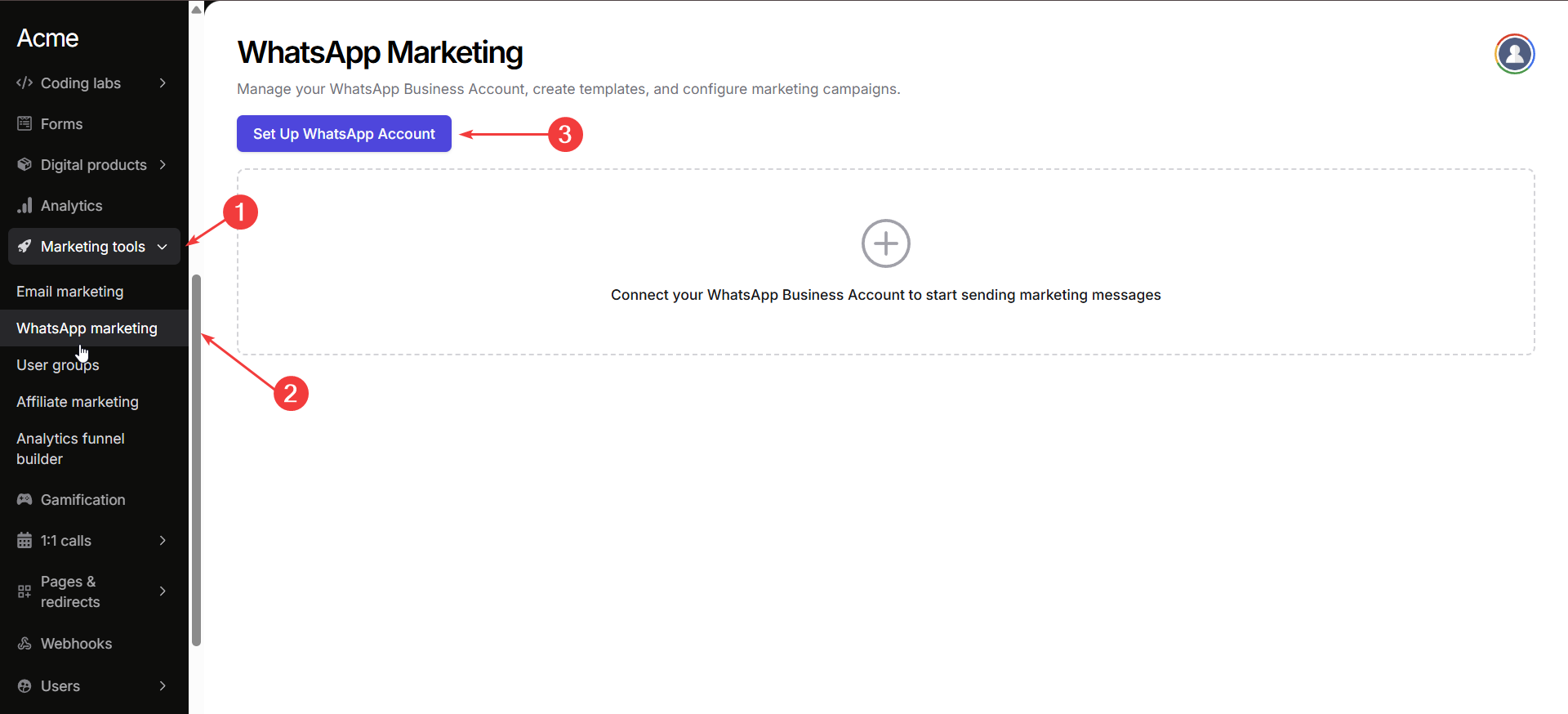
Go to Marketing Tools → WhatsApp Marketing in your instructor dashboard. Click on Set up WhatsApp Account to connect your WhatsApp account with Fermion
3
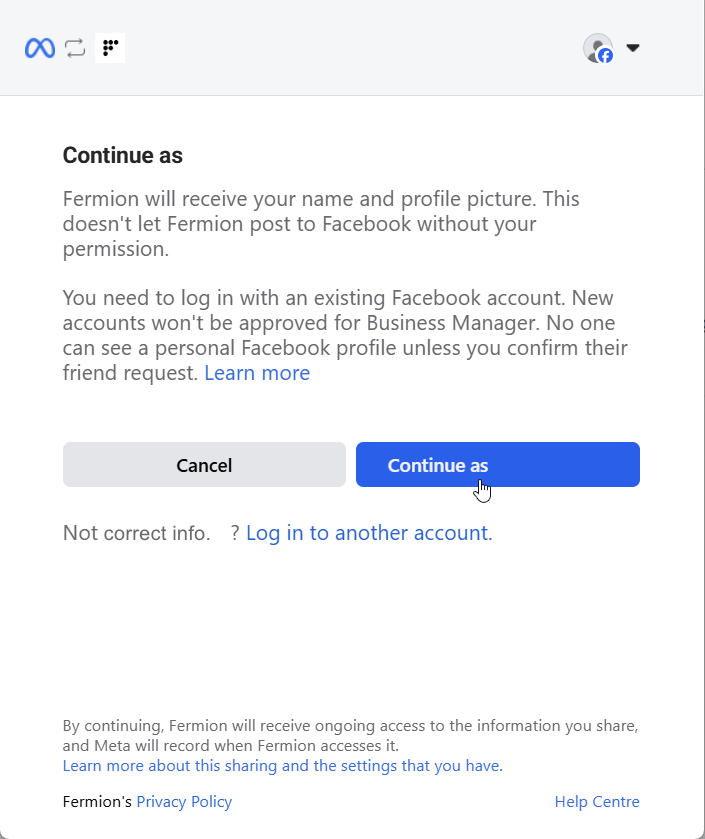
Log in to Meta account
You will be redirected to Meta to log in with your account. Use the credentials associated with your WhatsApp Business account.
4
Connect your account
To connect your WhatsApp Business account with codedamn, you’ll need to complete the Meta Cloud API onboarding process.
Click on Continue to proceed with registration and grant access.
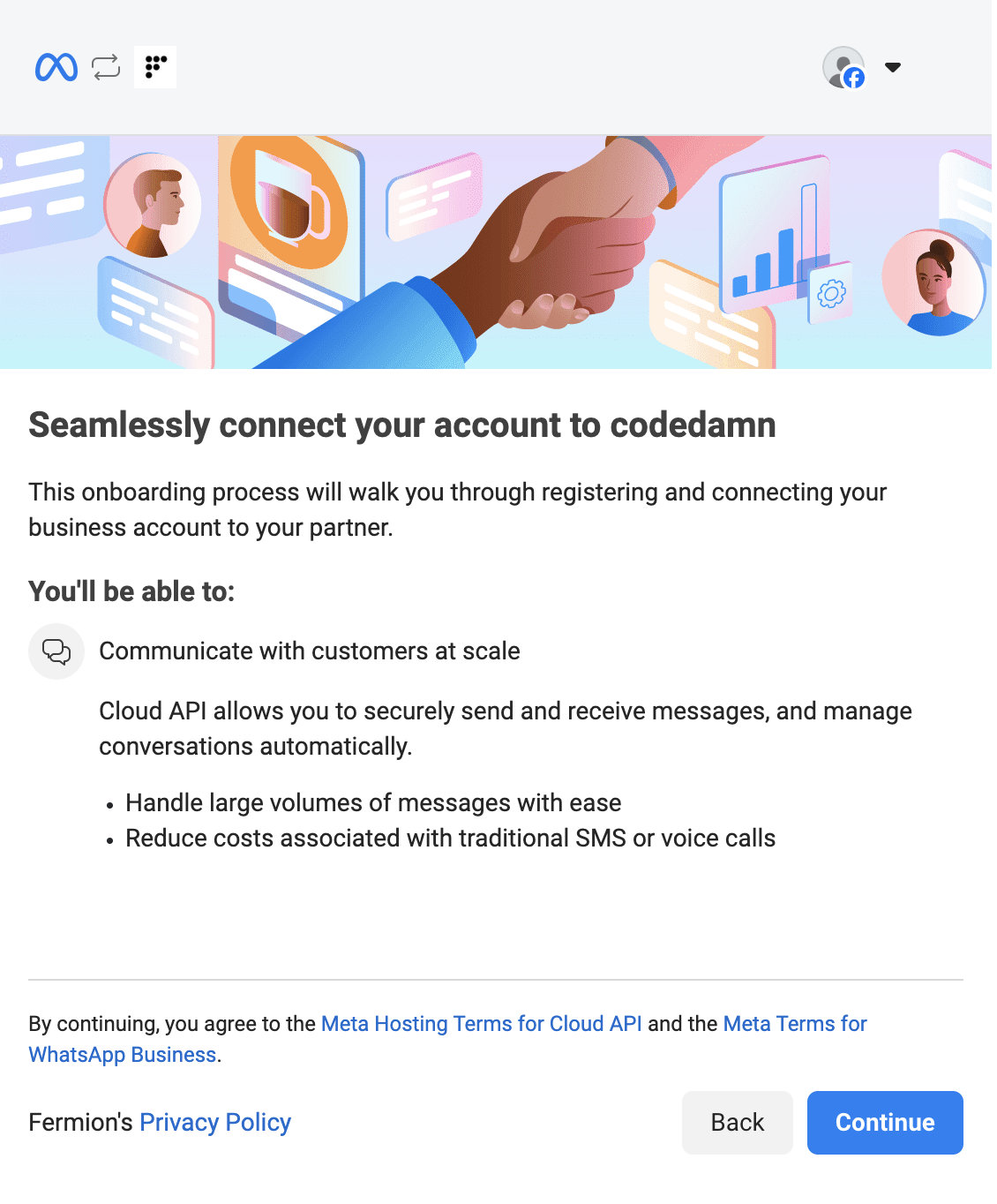
Click on Continue to proceed with registration and grant access.
What you'll be able to do after connecting
What you'll be able to do after connecting
Once your account is connected, you can:
- Communicate with customers at scale through automated conversations.
- Securely send and receive messages using Meta’s Cloud API.
- Handle large volumes of WhatsApp messages with ease.
5
Fill in business information
Please enter the business information concerned with your school. Your audience will not see this information on your WhatsApp profile.
Add your own business name, email address, website URL and the country the business is operated from.
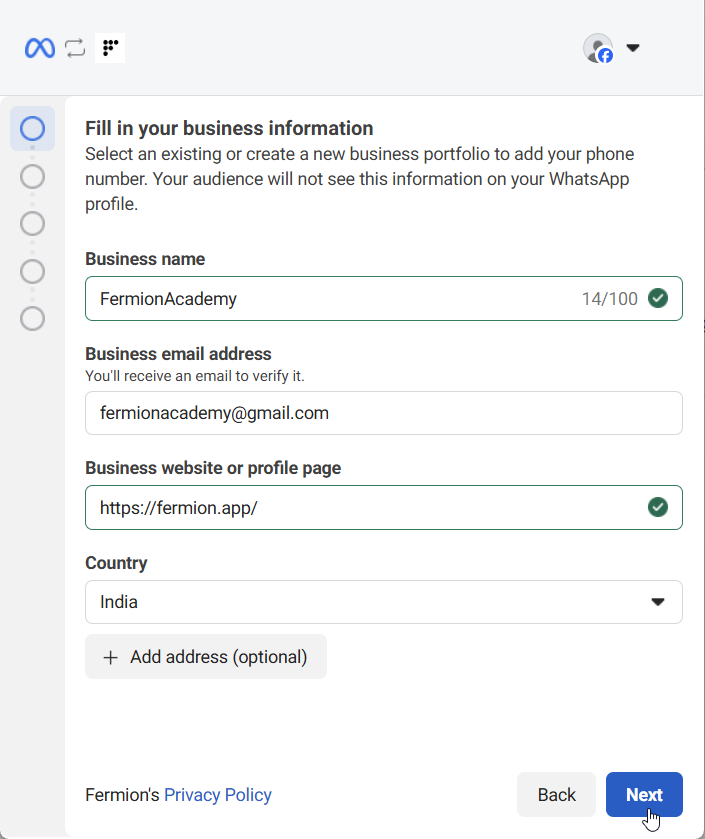
The data shown in the image is for illustration purposes only. Make sure to replace it with your own business information in the appropriate fields.
6
Choose WhatsApp Business account
Decide which WhatsApp Business account will belong to your business portfolio. You can either select an existing account or create a new WhatsApp Business profile.
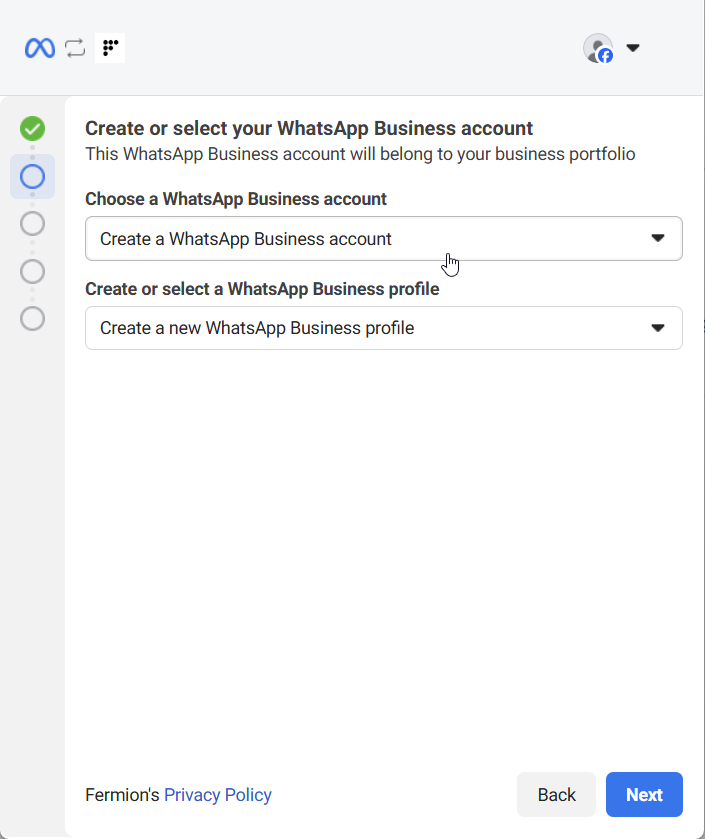
Create a new WhatsApp Business profile
Create a new WhatsApp Business profile
- Profile Name: Fermion Academy - Example
- Display Name: Fermion Academy - Example (should match business name and follow WhatsApp display name guidelines)
- Category: Select the category that best describes your business
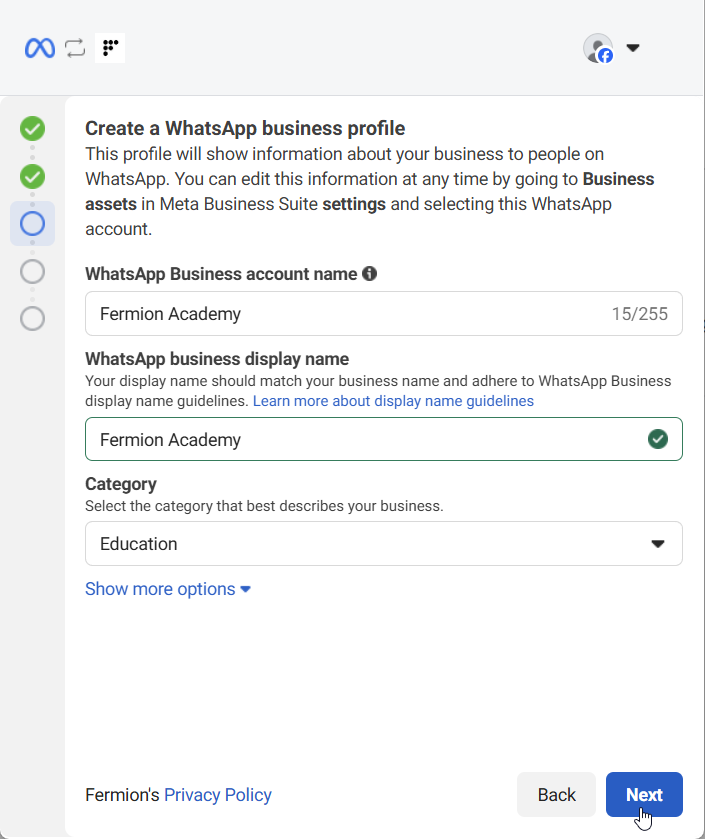 Click on Next to move to the next step!
7
Add your WhatsApp phone number
Add the phone number you want to use for sending and receiving WhatsApp messages. Choose your country code, enter your business phone number, and verify it to proceed. You can choose how you’d like to verify your number: either via Text message or Phone call. Once selected, you’ll receive a verification code from Meta to confirm ownership of the number.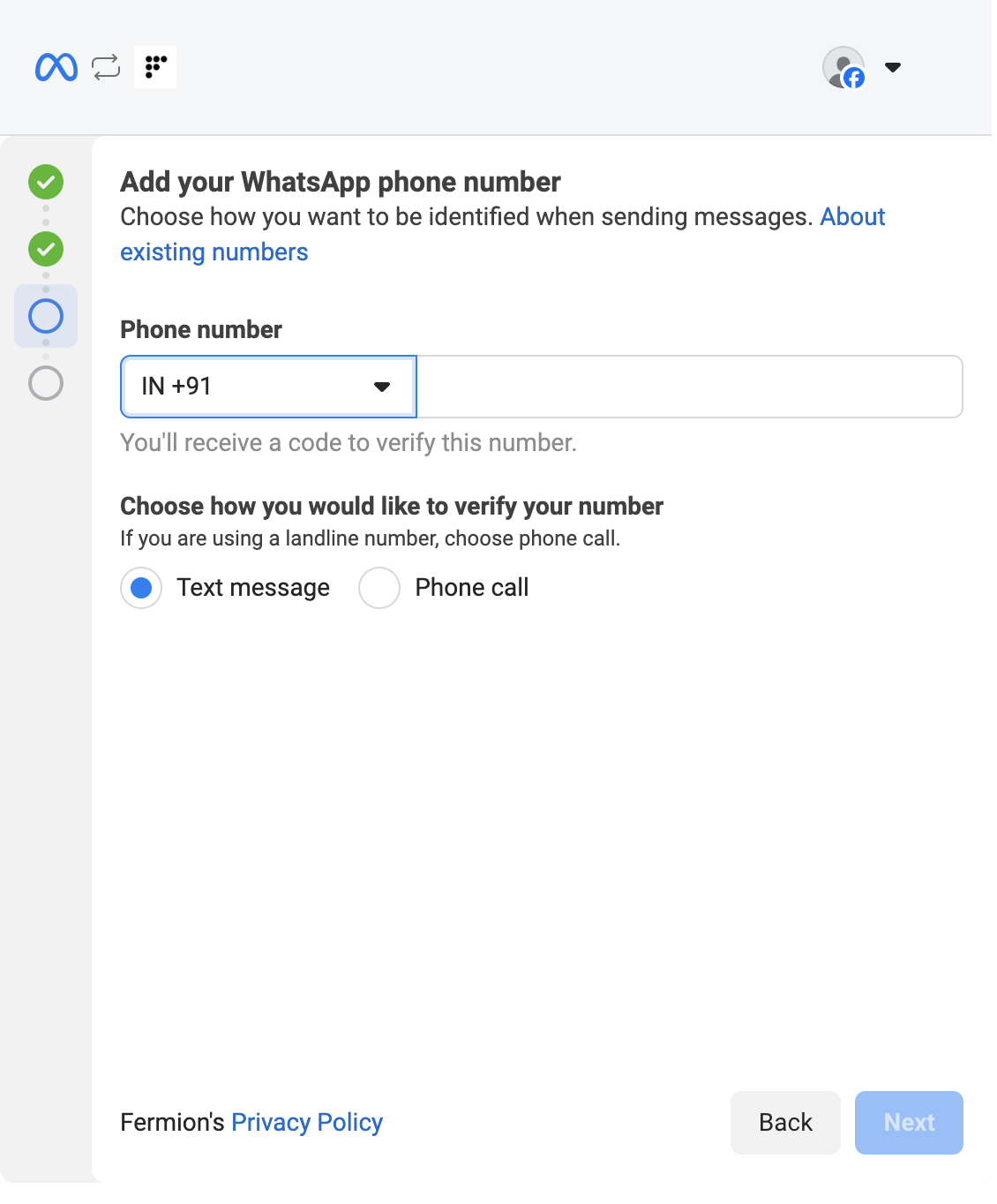
8
Review permissions shared with Fermion
Before completing the setup, review the permissions that will be granted to Fermion. This ensures Fermion can manage and automate your WhatsApp Business interactions through Meta’s Cloud API.Fermion is requesting access to your WhatsApp Business account. Once you confirm, Fermion will be able to: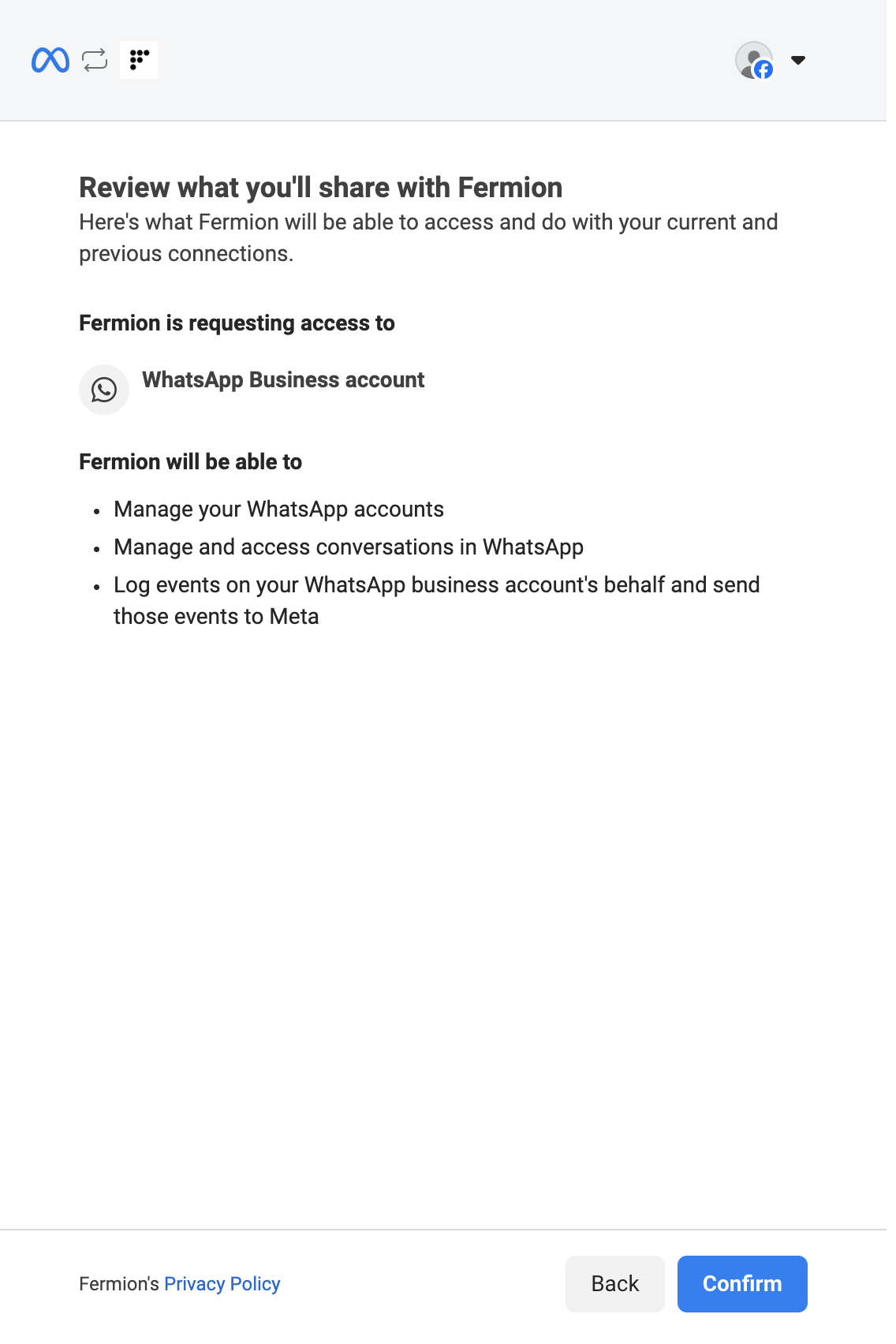
- Manage your WhatsApp accounts
- Manage and access conversations within WhatsApp
- Log events on your WhatsApp Business account’s behalf and send those events to Meta
9
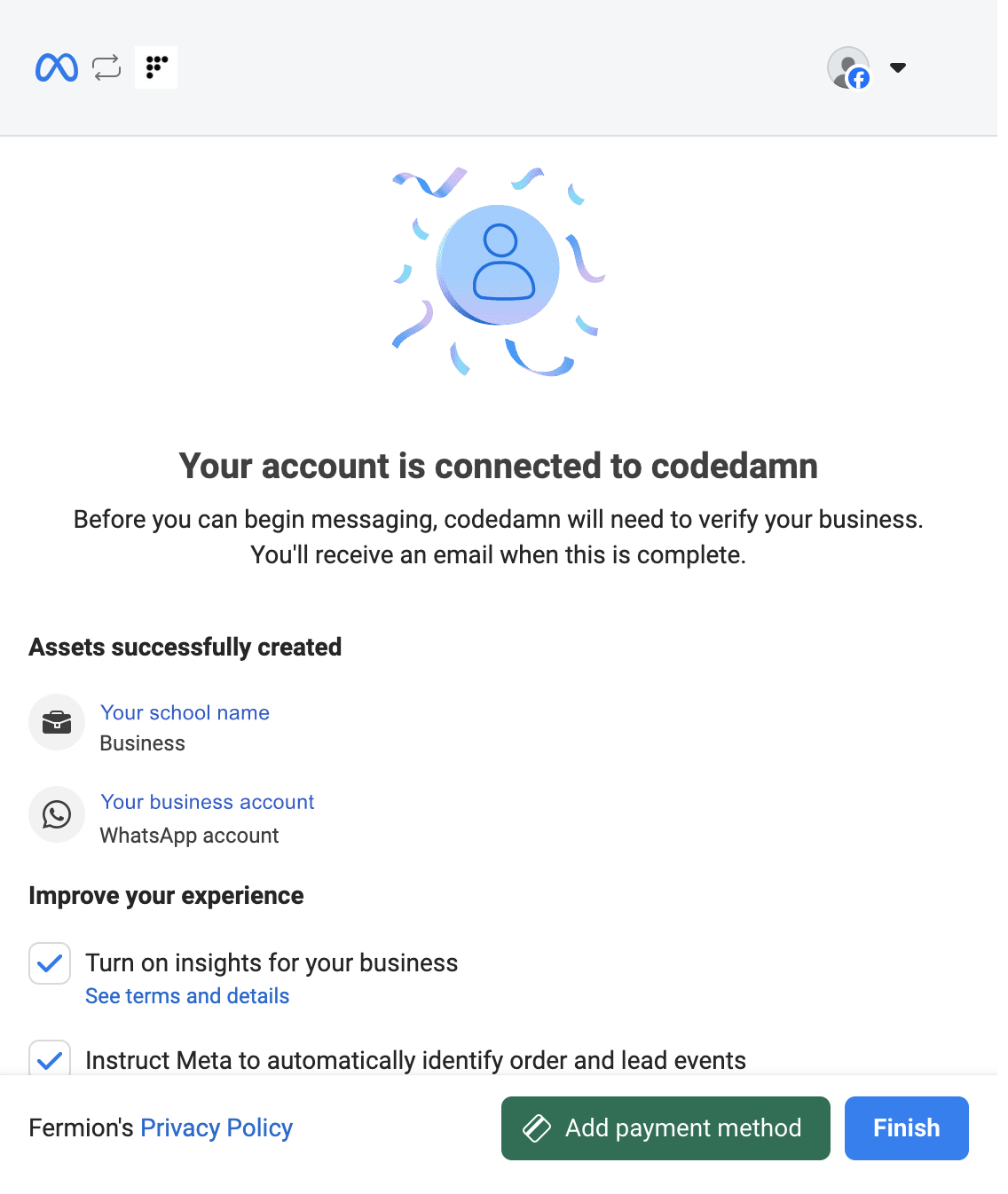
Add payment methods
Before proceeding, make sure to add a payment method and complete your business details. This step is mandatory to finalize the connection with WhatsApp.
10
Add Business and GST Details alongside Payment Method
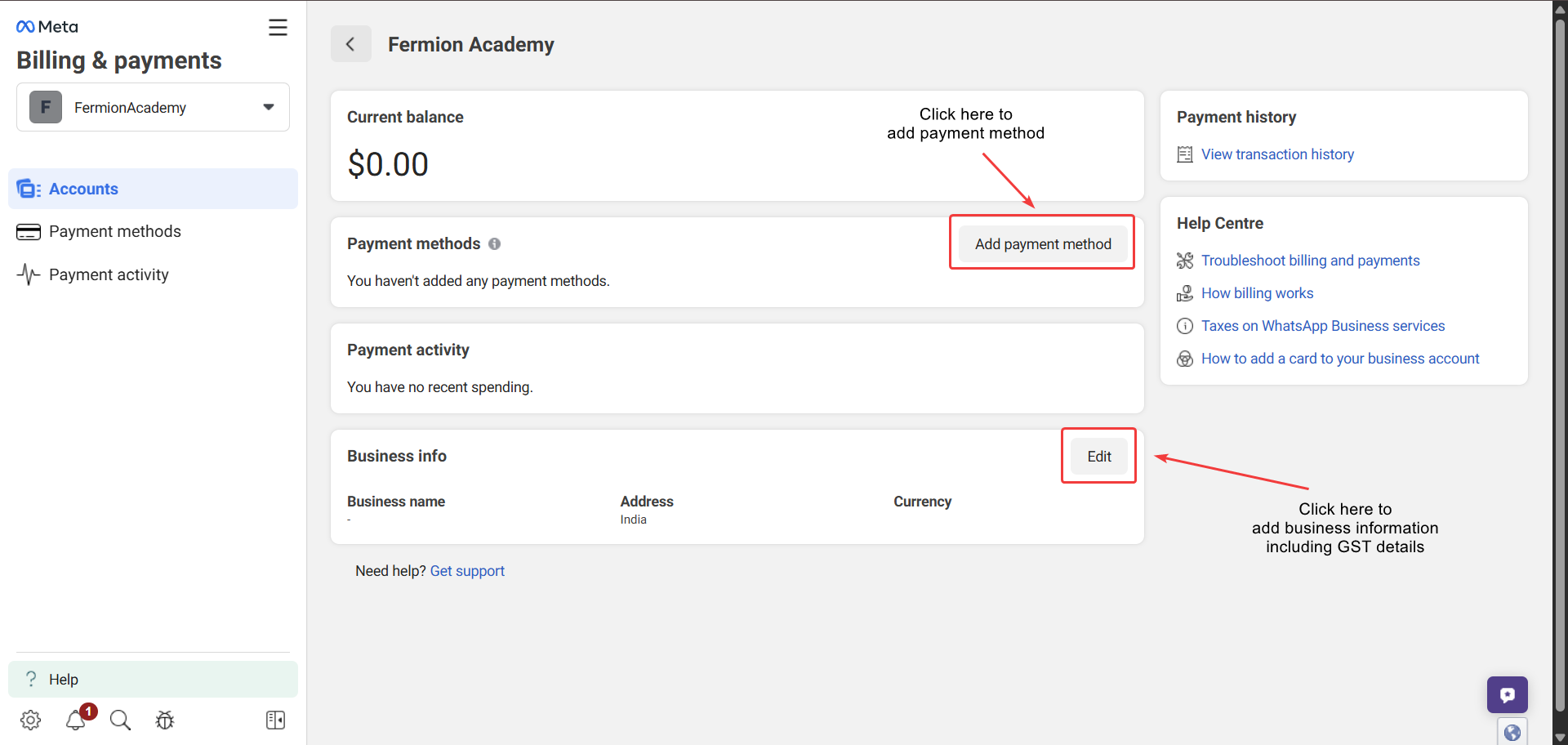
Before you can finalize the WhatsApp Business connection, you must add your business details, GST information, and a payment method.Make sure to:
- Click on Add Payment method to add a payment method
- Click on Edit in Business info to add correct and updated information about your details
- Enter your GST number correctly.
11
Finish setup
Click Finish. Your WhatsApp Business account is now linked to Fermion and ready to send live class reminders.
Meta Business Help Centre
Access Meta’s official help documentation for general business account questions and troubleshooting.
Click here to learn more
Business Portfolio at Meta
Learn more about managing your business portfolio, messaging limits, and related settings on Meta.
Click here to learn more
Sending live class reminders
Once your WhatsApp Business account is connected to Fermion, you can start sending automated reminders for your live sessions. Follow these steps to create and link a WhatsApp message template for your class reminders.1
Create a WhatsApp message template
Go to the Message Templates section under Marketing Tools → WhatsApp Marketing and click Create Template.In this section, you can design a new message template using dynamic variables such as session name, start time, and participant name.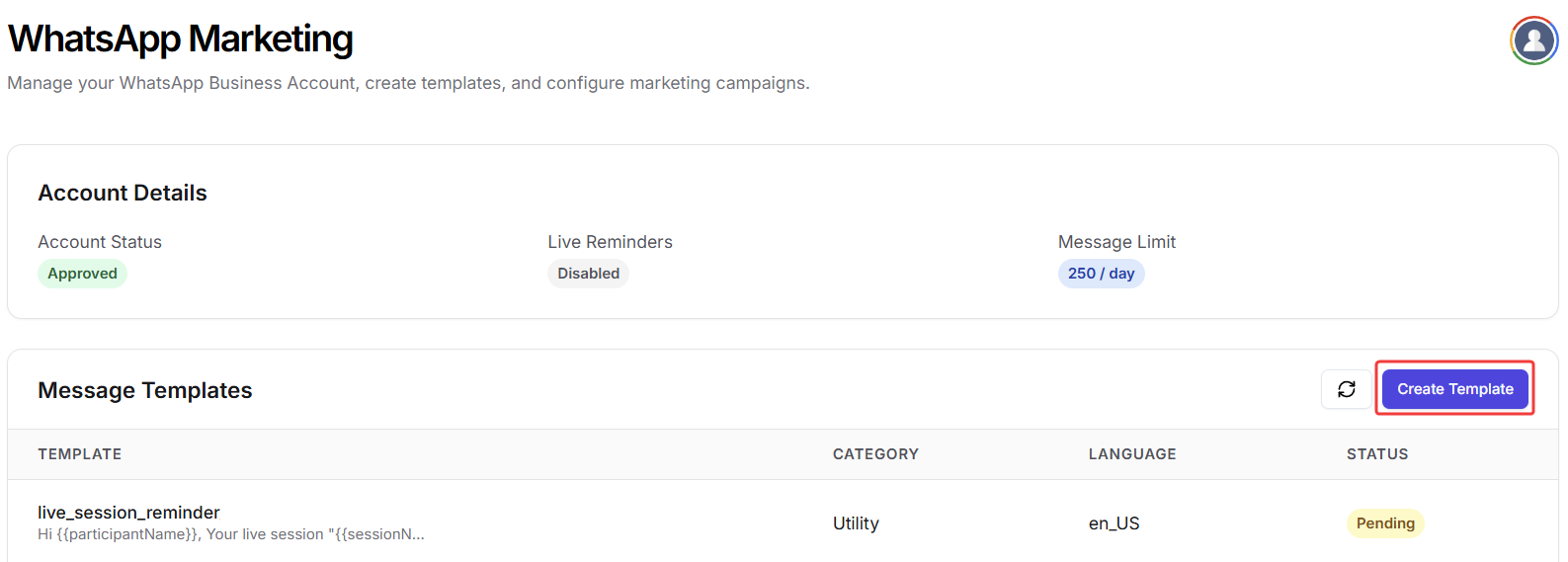
2
Customize your template
Preview the message on the right side to see how it will look to your students.
Make sure your tone is friendly and professional, and all dynamic variables are correctly inserted.Example Template:
Make sure your tone is friendly and professional, and all dynamic variables are correctly inserted.
Templates are usually reviewed and approved within a few seconds, but sometimes the process can take up to 24 hours depending on WhatsApp’s moderation queue.
-
Template Name:
live_session_reminder - Header (Optional): Live Session Starting Soon
-
Body:
-
Footer (Optional):
Powered by Fermion -
Button Text (Optional):
Join Live Session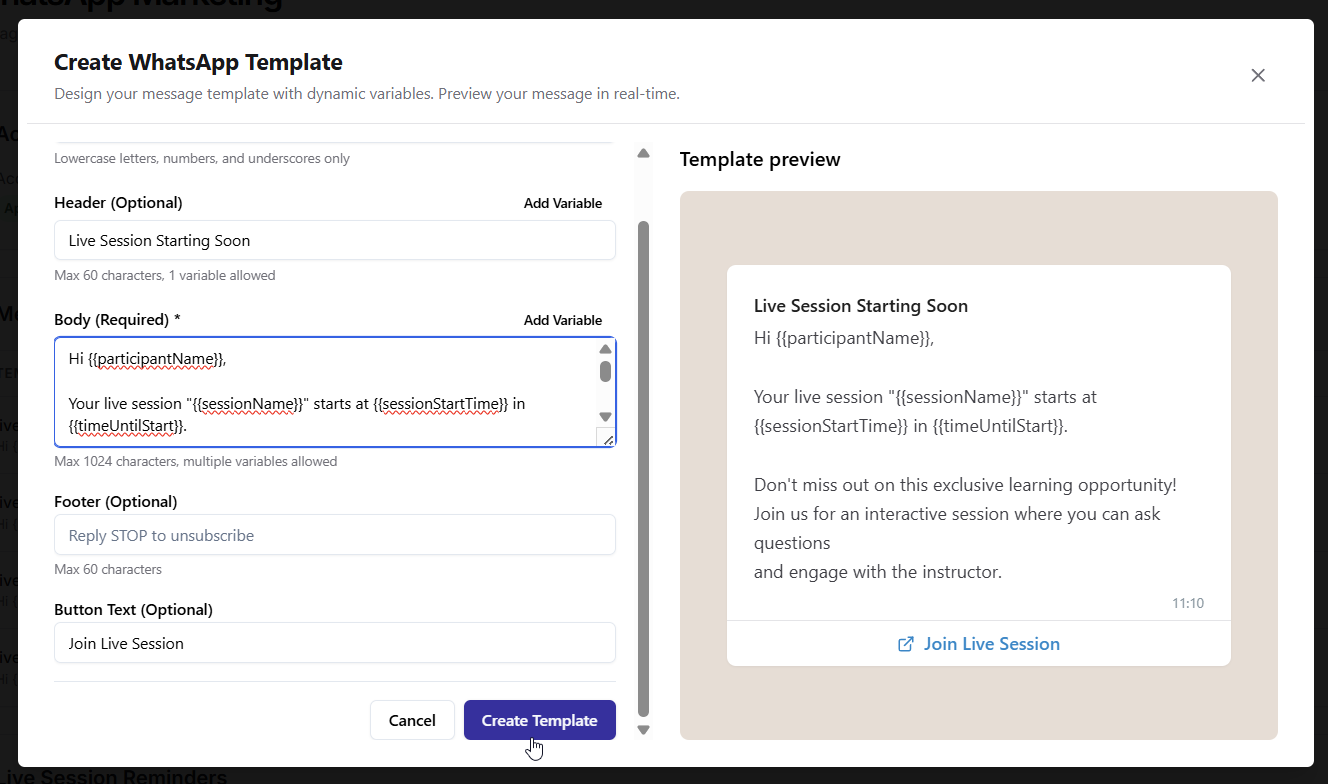
Template Variables
When creating your WhatsApp message template, you can use dynamic variables to automatically personalize each reminder. These variables are replaced with real data for every student and session, making each message feel tailored and professional.Below are the variables currently supported in Fermion WhatsApp templates:Once done, click Save Template to store it in your WhatsApp marketing template library. Your template will now be sent to WhatsApp for approval and would take some time to get approved by Meta.Meta typically reviews and approves message templates within a few minutes to a few hours. In some cases, it may take up to 24 hours for approval.
3
Toggle Live Session reminder and link a template
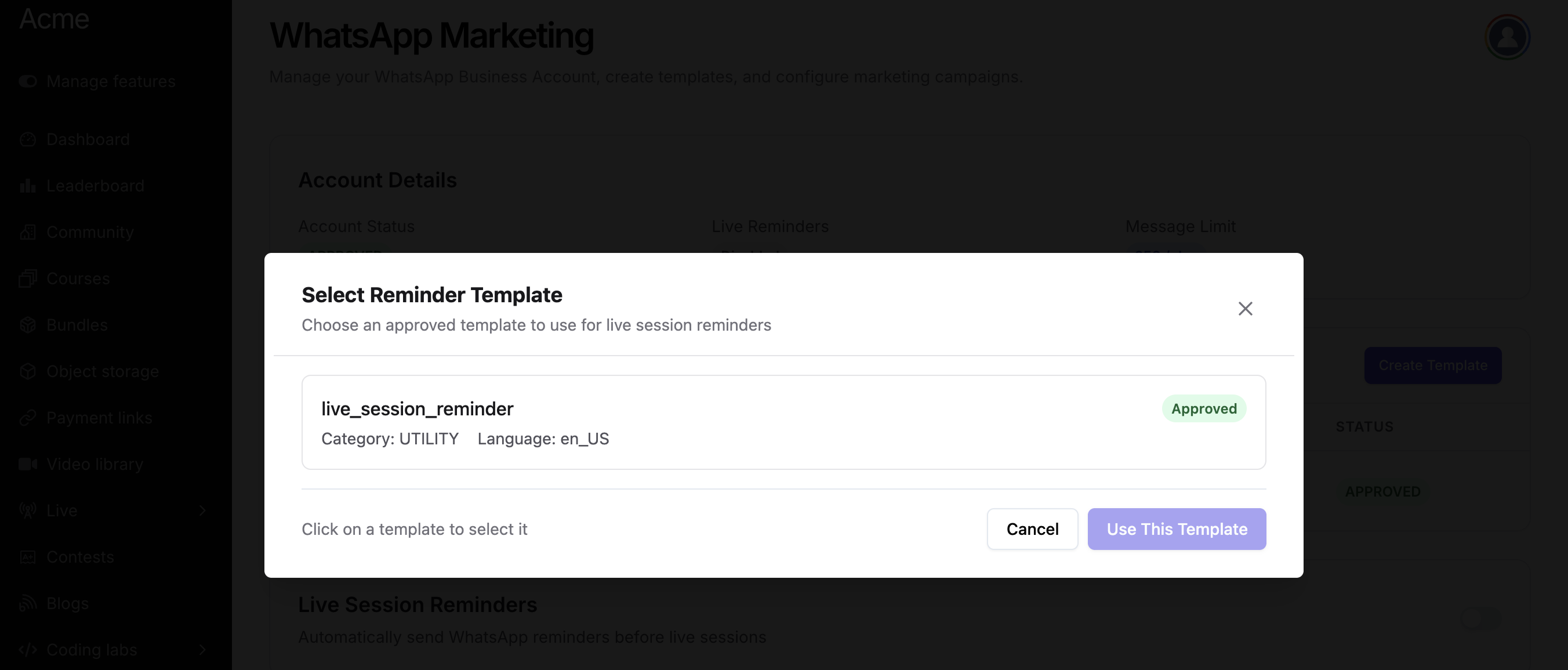
After saving the template and getting it approved by Meta, Toggle the Live Session Reminders button and link the created template to the reminder. At a particular moment, you can only link 1 template to the live session reminder.
4
Start sending reminders
Once linked, Fermion will automatically send WhatsApp reminders to all enrolled participants before the live session starts.
Messaging limits
By default, Meta allows you to send up to 250 messages/day from a single WhatsApp Business number. This ensures that your account remains in good standing and prevents spam or abuse. However, this daily limit can be increased as your business grows by verifying your business account with Facebook Business Manager and scaling your message tiers. Increasing your messaging limit allows you to reach more students or participants efficiently without interruptions. To learn more about how messaging limits work and how to request higher limits, refer to the official Meta documentation:Learn more about WhatsApp messaging limits