
Why should I add SCORM packages?
- Content reusability: Integrate existing SCORM content you own or source from third parties.
- Standardization: Use an industry standard so content behaves consistently across platforms.
- Enhanced learning materials: Complement articles, videos, live classes, and labs with interactive SCORM modules.
How do I add a SCORM package?
1
Expand course items
Click the
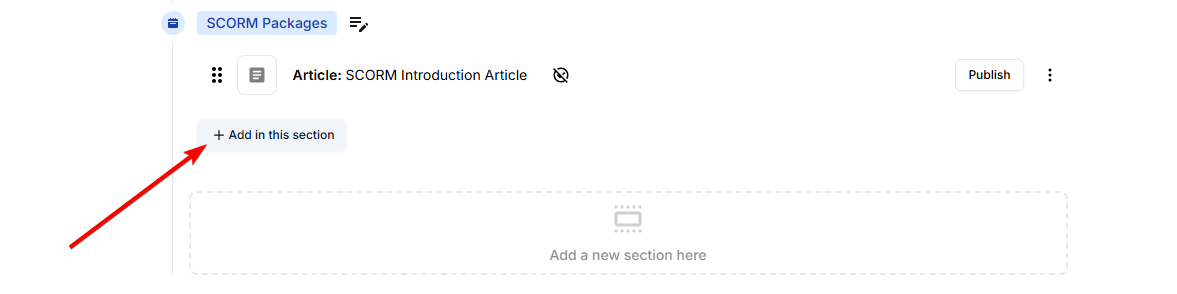
+ button to expand the course items’ view.2
Add a SCORM item
Click on
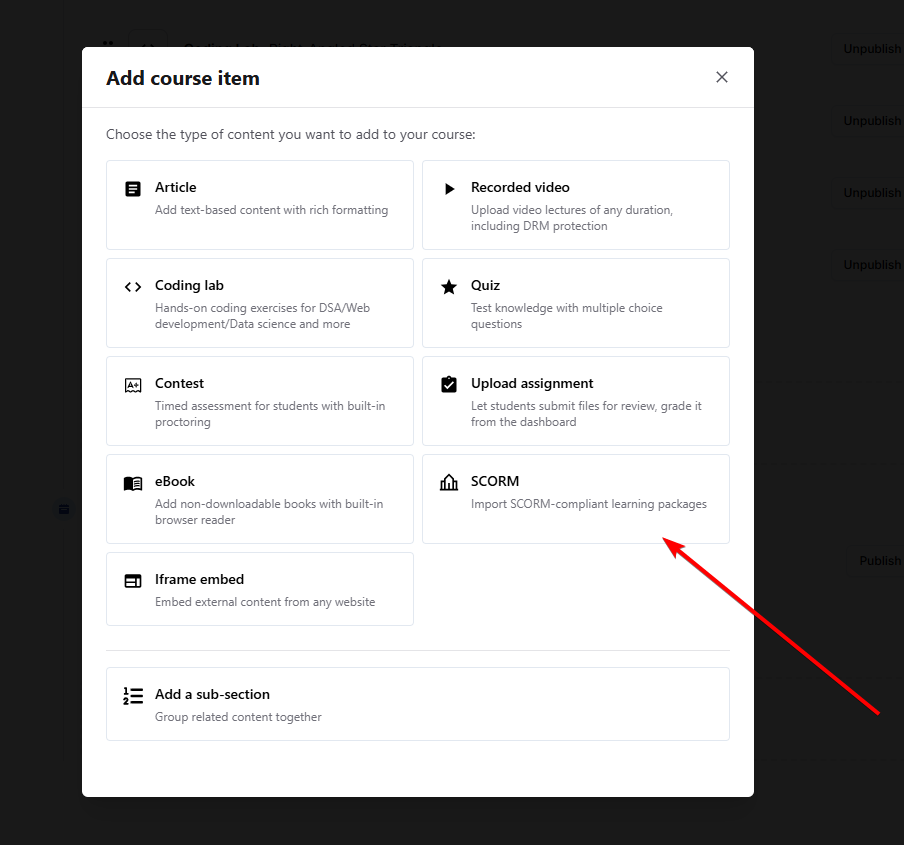
SCORM. This will add a SCORM item inside your section.3
Edit the SCORM item
Click on the three dots of the new SCORM item (added as
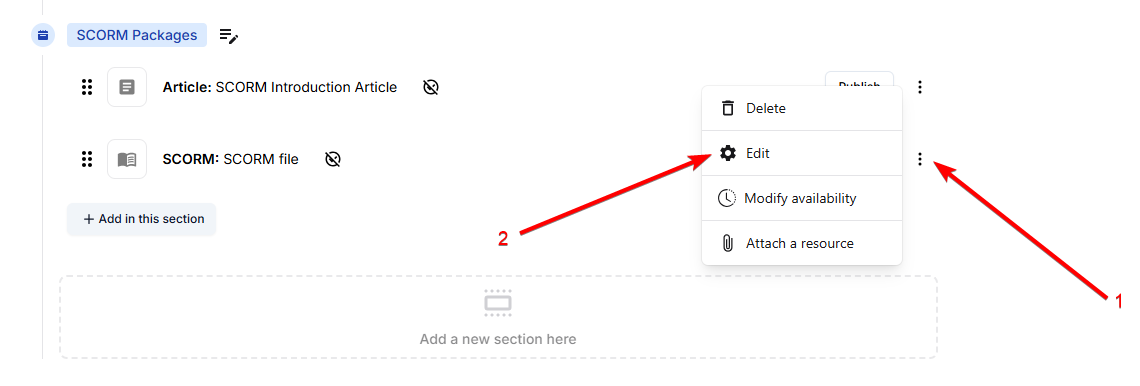
SCORM: SCORM file) and select Edit.4
Upload your SCORM ZIP
Click on

Drop your SCORM ZIP here to upload to upload a SCORM-compliant ZIP file.5
Wait for processing
Wait for the SCORM file to be processed and ready.

6
Publish the SCORM item
Click on

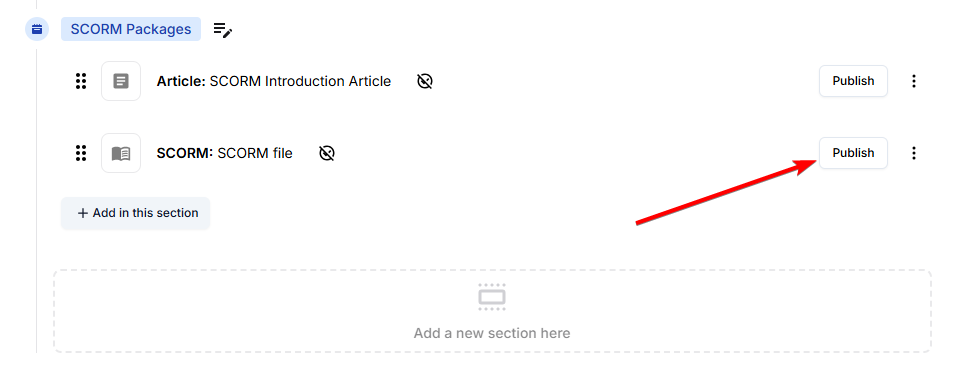
Go back to all items, then click on Publish next to the SCORM course item.