> ## Documentation Index
> Fetch the complete documentation index at: https://docs.fermion.app/llms.txt
> Use this file to discover all available pages before exploring further.
# Utilizing Webhook Data
> How to process Fermion webhook data and access event logs.
When your server receives a webhook from Fermion, follow these practices to ensure reliable and secure processing:
1. **Verify the `X-Fermion-Webhook-Secret` header**\
This ensures that the webhook request is authentic and actually sent by Fermion.
2. **Log `eventUniqueId`**\
Each webhook event has a globally unique ID. Logging this helps prevent processing the same event multiple times.
3. **Use `timestampIsoString`**\
This timestamp indicates when the event occurred. It is useful for ordering events chronologically or detecting delayed deliveries.
4. **Check `isTestEvent`**\
Fermion allows you to send test events from the dashboard. Use this flag to distinguish between test and live events in your system.
5. **Process the `payload`**\
The `payload` contains event-specific data. Handle it according to the event type for your workflow or automation.
Always validate the webhook secret and log the `eventUniqueId`. This prevents duplicates and ensures your integrations remain secure and reliable.
***
# Accessing Webhook Event Logs
Fermion logs all webhook events, making it easy to monitor and troubleshoot your integrations:
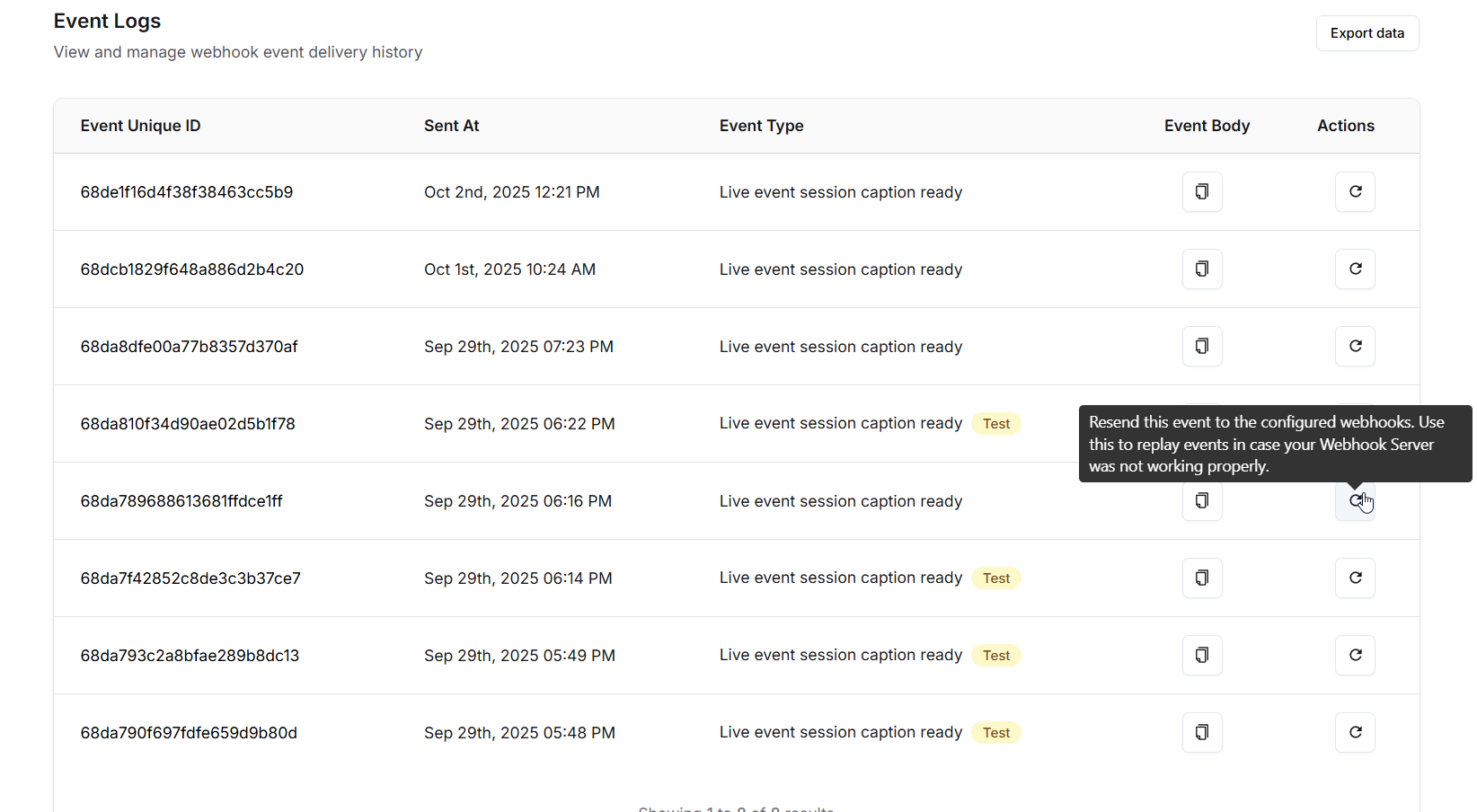
* Navigate to the **Webhook** page in your dashboard and scroll further to view **Event Logs**.
* You can **view event details**, **copy data**, or **re-trigger the webhook** if your endpoint missed the original request.
* Each event shows the complete payload and metadata, so you can inspect exactly what was sent.
If an event fails to be processed, re-triggering it from the Event Logs is a quick way to recover without waiting for the next occurrence.
***
# Exporting Event Logs
For bulk analysis or backups, Fermion allows you to export event logs:
1. Click the **Export Data** button on the Event Logs page.
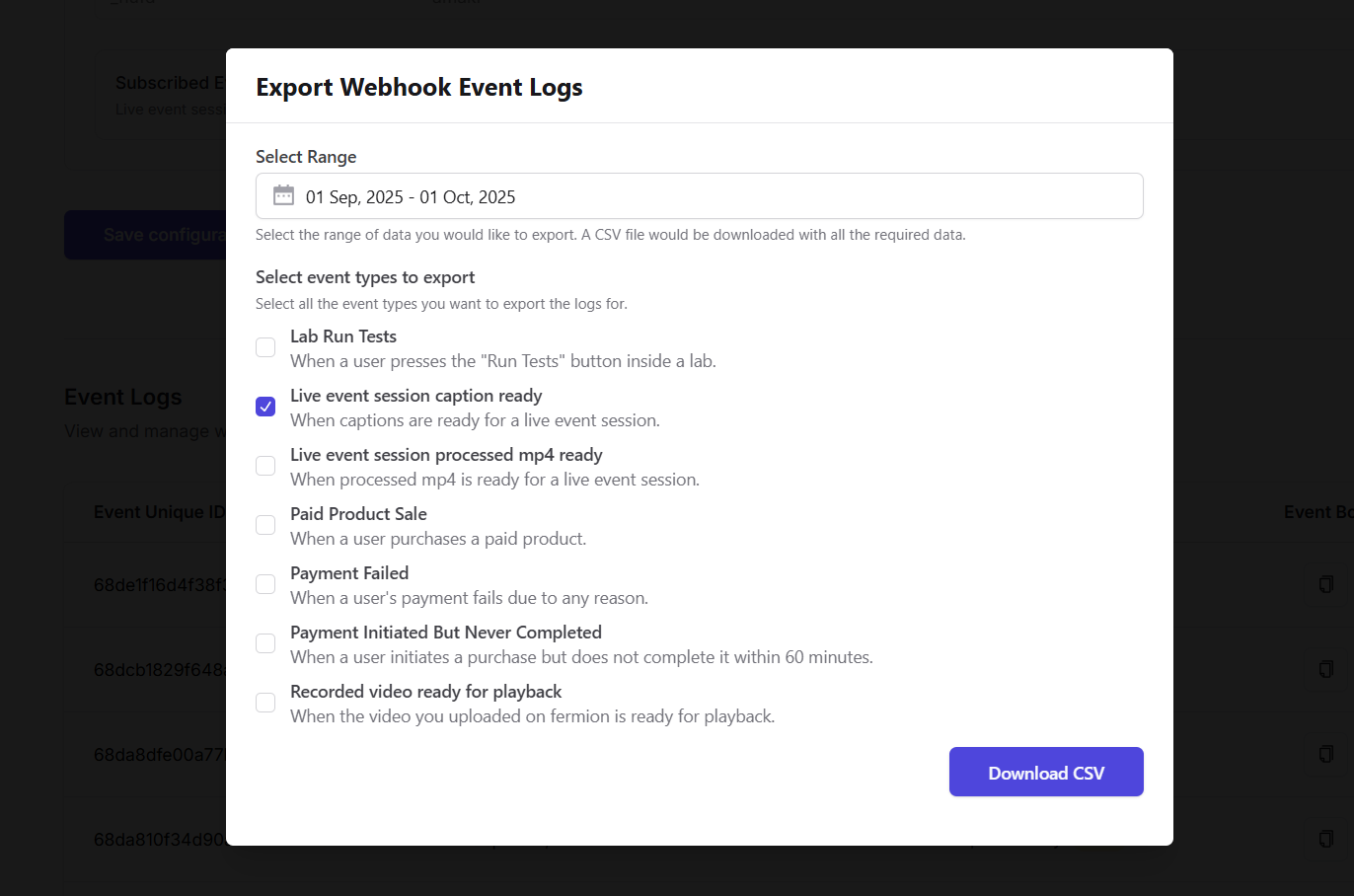
2. Select the **time range** and **specific events** you want to export.
3. The data will be exported as a **CSV file** and downloaded immediately to your device.
Exporting event logs is useful for running scripts, audits, or keeping offline records of all webhook activity.