> ## Documentation Index
> Fetch the complete documentation index at: https://docs.fermion.app/llms.txt
> Use this file to discover all available pages before exploring further.
# Quick Start
> Learn how to set up and manage webhooks in Fermion.
Webhooks let Fermion send event notifications directly to your server.
If you have not enabled Webhooks, please go to **Manage features** > Scroll to **Development** > **Webhook** and enable that first from your instructor dashboard
Follow these steps to set up your first webhook:
## Setting Up a Webhook
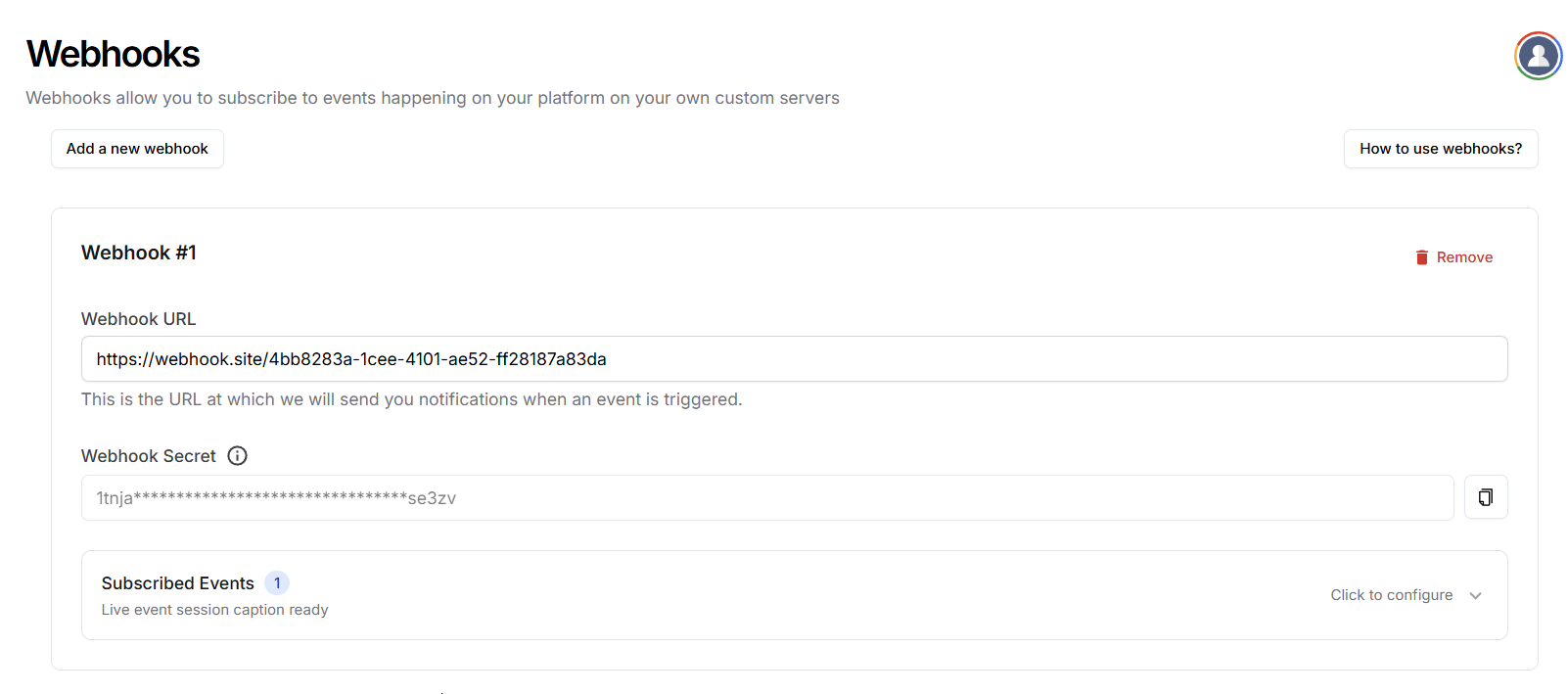
1. **Go to Webhooks Settings**\
Open the **Webhooks** page in your Fermion dashboard.
2. **Create a Webhook**\
Click **Add a new webhook** to create a new webhook template.
3. **Add Your Webhook URL**\
Enter your server endpoint URL that will handle incoming webhook events and payload.
4. **Set a Webhook Secret**\
Ensure the integrity of your webhook events by setting a secret. This secret will be sent in every webhook event in a header named `X-Fermion-Webhook-Secret`.
Your server must validate all incoming requests and check if this header is present with the correct value.
Treat your webhook URL as a **secure endpoint**. Only accept requests that contain the correct Fermion webhook secret.
5. **Subscribe to Events**\
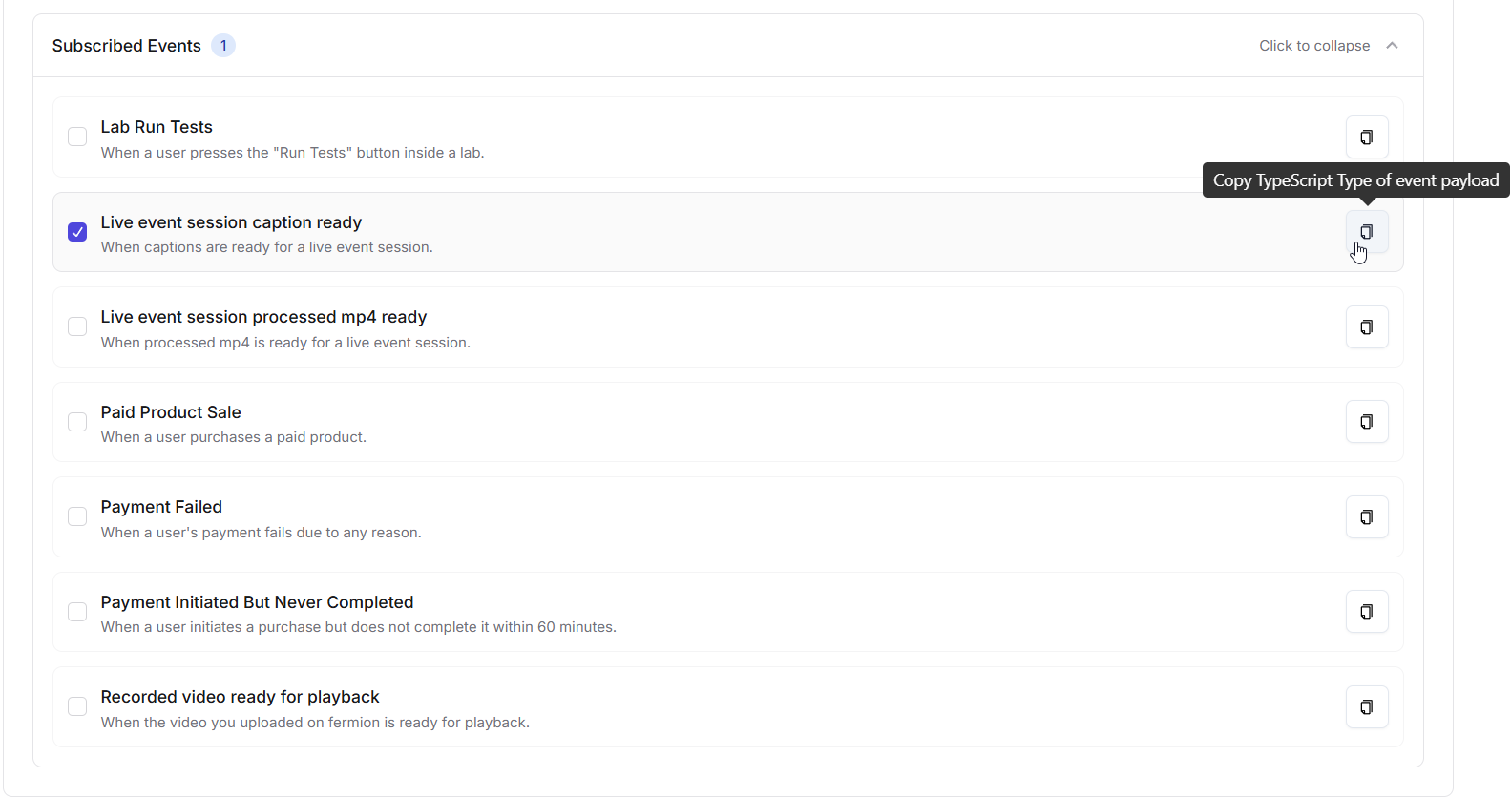
Choose the events you want this webhook to listen to. More information on events is provided in next sections.
6. **Save Configuration**\
Click on Save Configuration to update your webhook settings.
***
## Multiple Webhooks & Event Subscriptions
You can create **multiple webhooks**, each subscribed to different events.\
This lets you send specific notifications to the right system.
**Examples:**
* Webhook 1 → Lab events → Sends data to an analytics system.
* Webhook 2 → Payment events → Sends data to accounting software.
* Webhook 3 → Captions → Sends caption data to your DB.
### Example Webhook Configuration
| Webhook | Subscribed Events | Purpose |
| --------- | --------------------------------- | ----------------------------------------------- |
| Webhook 1 | Lab Run Tests | Send lab results to an analytics system. |
| Webhook 2 | Paid Product Sale, Payment Failed | Update accounting software with sales data. |
| Webhook 3 | Live Event Session Caption Ready | Automatically process captions for integration. |
Using multiple webhooks keeps your integrations **organized, secure, and efficient**, since each system only receives the events it needs.