> ## Documentation Index
> Fetch the complete documentation index at: https://docs.fermion.app/llms.txt
> Use this file to discover all available pages before exploring further.
# Enable AI Powered Captions
> Step-by-step guide to enable AI-generated captions for recorded videos on Fermion.
Navigate to **Dashboard → Recorded Videos → Video Library** to view all your uploaded recordings.
Find the video you want to caption and click the **Settings (⋮)** icon next to it.

In the video settings panel, toggle the **enable AI transcription for this video** option to automatically generate captions in the same language used within the video.
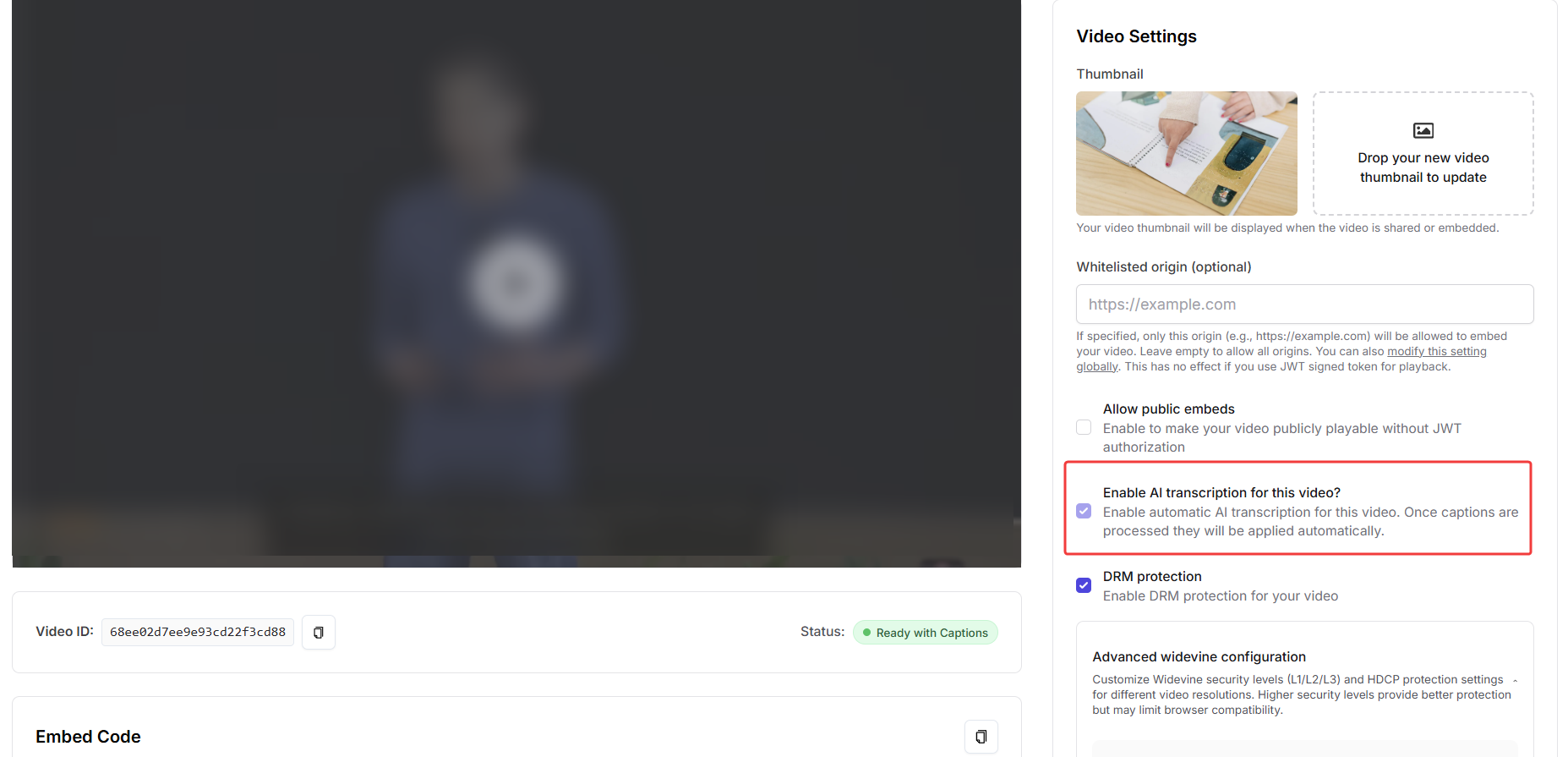
Fermion will begin transcribing your video automatically.\
The processing time depends on the video length.
***
### Global Settings for Captions
You can also enable this feature globally for all recorded videos uploaded to your school.
Navigate to **Dashboard → Settings → School Settings → Recorded Video Settings**.
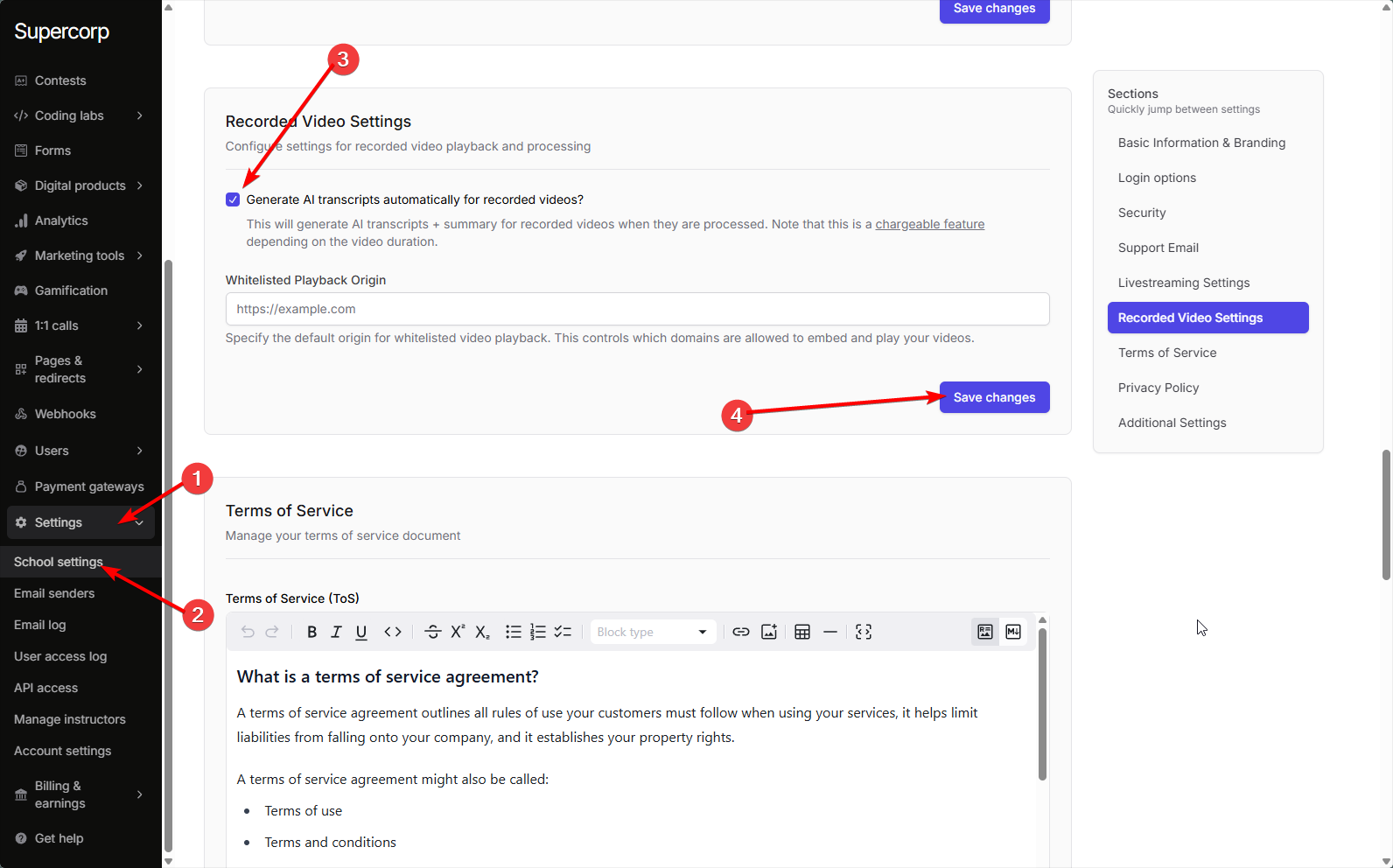
Toggle **Enable AI Transcripts** to automatically generate captions for every video uploaded under your school.
***
Fermion **Pro** includes 5 hours of AI transcription. Additional usage is billed at **\$0.30/hour**. Learn more at [Fermion Pricing](https://fermion.app/pricing)