> ## Documentation Index
> Fetch the complete documentation index at: https://docs.fermion.app/llms.txt
> Use this file to discover all available pages before exploring further.
# Manage Features
> Learn how to enable, disable, and configure various features available to instructors on the platform.
Fermion provides a comprehensive suite of features that you can enable or disable based on your specific needs. These features are organized into categories to help you understand and manage your platform's capabilities effectively.
Some features are disabled by default. You need to manually enable the features you want to use for your online academy.
## How to enable/disable features
Go to your **Instructor Dashboard → Manage features**.
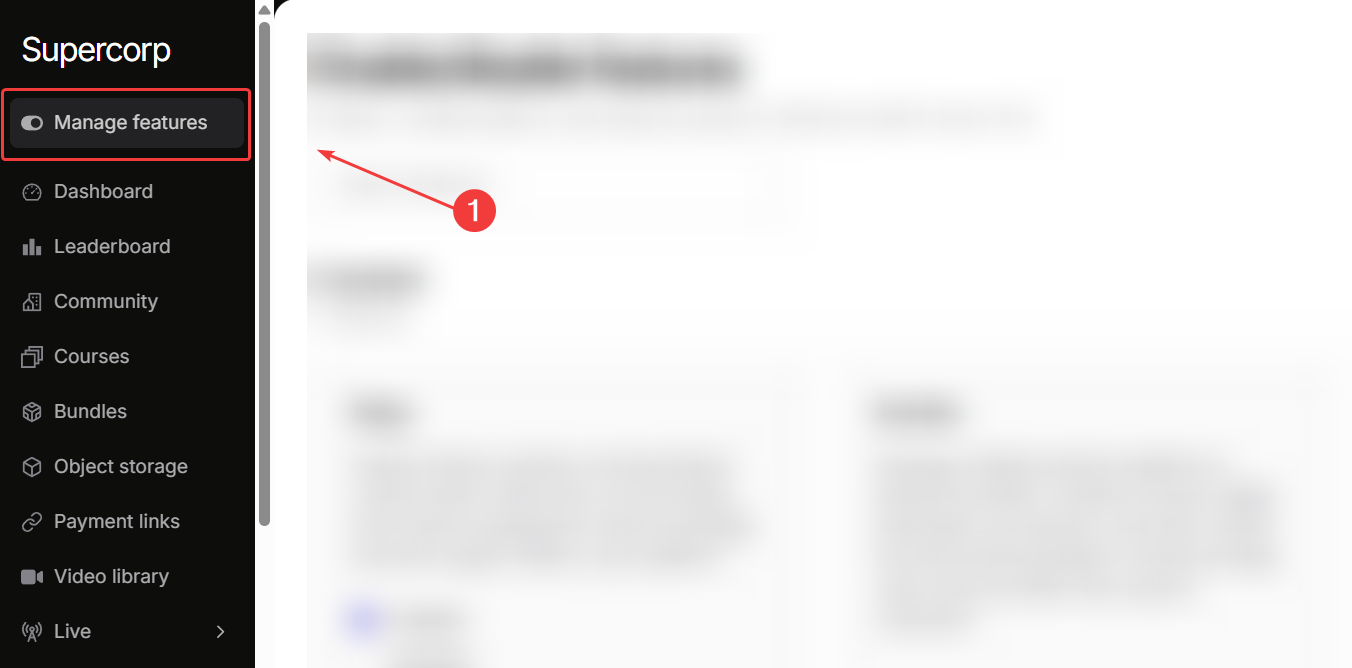
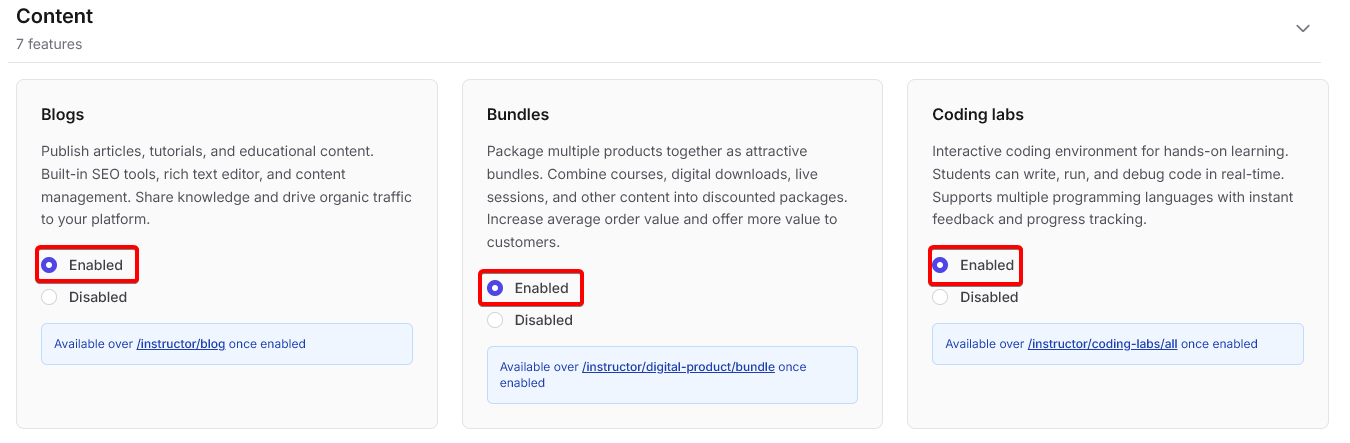
Click on `Enabled` for any feature you wish to turn on for your school.
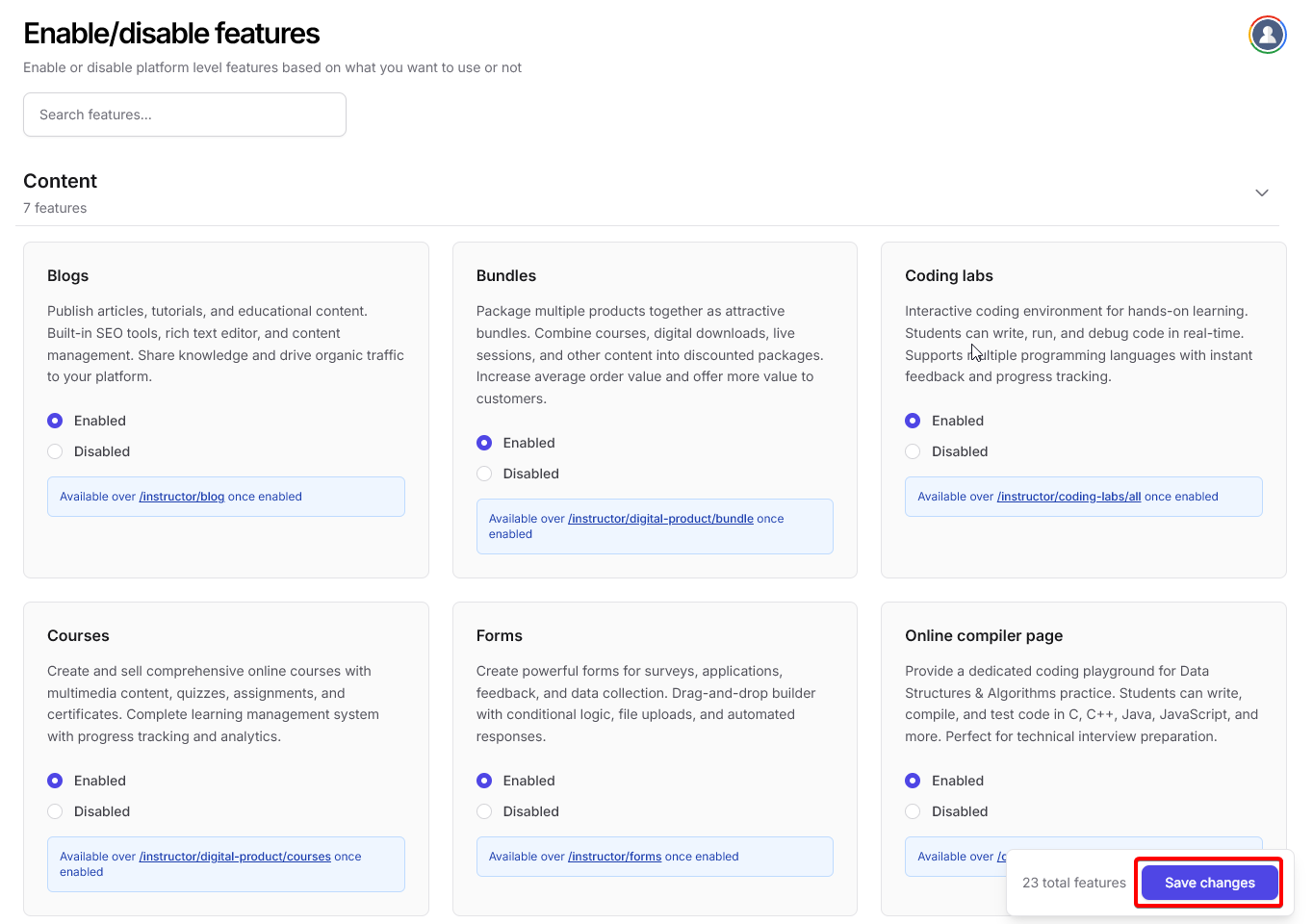
Once you are done toggling all the features you need and don't need for your school, click on save changes.
# Feature overview
Fermion offers a complete suite of tools to build, market, and manage your online academy.\
Browse through the following feature categories to learn more.
You can enable all the following features from the **Manage Feature** section in your instructor dashboard. Click on any of these cards to learn more about that particular feature.
## Content features
Publish articles, tutorials, and updates to engage learners beyond courses.
Create structured learning paths with videos, assignments, and quizzes.
Combine multiple courses, eBooks, and live events into curated packages.
Provide browser-based, interactive coding environments for students.
Collect feedback, registrations, or custom information with multi-step forms.
Allow students to write and run code directly inside your platform.
Manage and organize video content with captions, watermarking, and embedding.
***
## Marketing features
Launch an affiliate program with automated tracking and payouts.
Measure engagement, conversions, and revenue with advanced analytics.
Automate email campaigns and updates to keep students engaged.
Send promotions and course updates directly via WhatsApp.
***
## Commerce features
Integrate and manage multiple payment providers securely.
Generate branded payment links for direct sales from end user.
Sell eBooks and downloadable content with secure delivery and watermarking.
***
## Platform features
Build and design your academy’s website with full customization.
Control signup flows, verification, and approvals for new learners.
***
## Communication
Host live classes with chat, screen sharing, and auto-recording.
Conduct personalized one-on-one sessions with learners for mentorship, feedback, or doubt resolution.
***
## Engagement
Build discussion spaces and connect learners through posts and polls.
## Assessment & gamification
Organize coding contests and assessments to evaluate learners.
Motivate learners using points, badges, and leaderboards.
***
## Storage & development
Securely store course materials and media files for distribution across your school.
Connect external systems using real-time event notifications.
***
## Branding
White-label your academy with your own colors, logo, and identity.
Some features may require separate activation or configuration after enabling.\
Refer to each feature’s detailed documentation to complete setup.
## Feature Dependencies
Some features work well when other features are enabled in your school
Bundles work best when paired with Courses, eBooks, or Live Sessions.
Requires Courses or Digital Products to be available.
Works best when combined with Courses or Live Sessions.
Can be used with any feature to automate workflows and integrations.