> ## Documentation Index
> Fetch the complete documentation index at: https://docs.fermion.app/llms.txt
> Use this file to discover all available pages before exploring further.
# Invoice settings
> Customize the footer of your sales invoices
The **Invoice settings** section allows you to customize the footer text that appears on all sales invoices sent to students upon purchase. This helps you add important legal information, terms, or branding messages to your invoices.
***
## Accessing Invoice settings
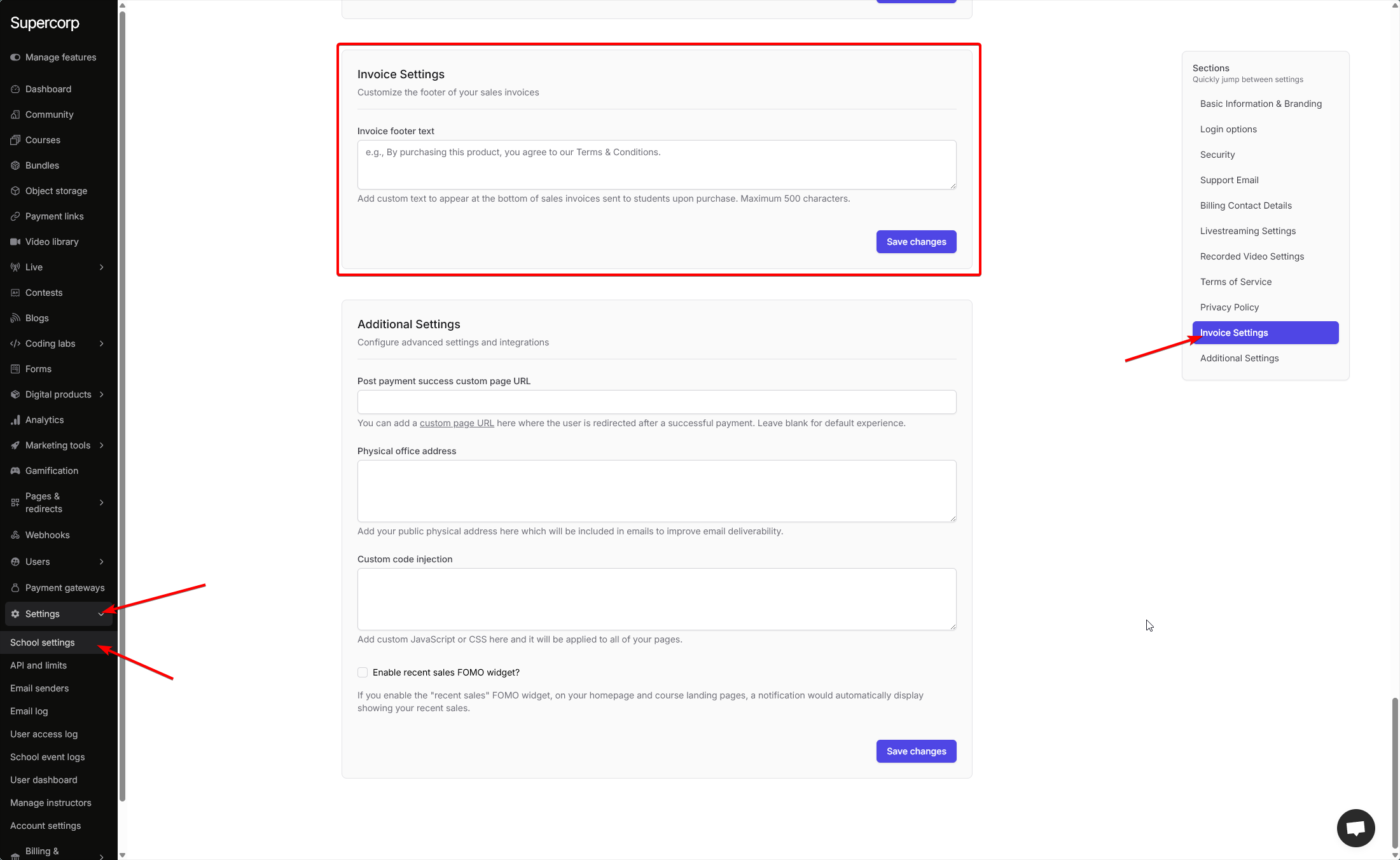
To open the **Invoice settings** page:
Log in to your instructor account and navigate to your **Dashboard**.
In the sidebar, click **Settings** to expand the available configuration options.
Click **School Settings** to open the full configuration panel.
Scroll down or use the quick navigation sidebar to find and click **Invoice settings**.
***
## Invoice Footer Text
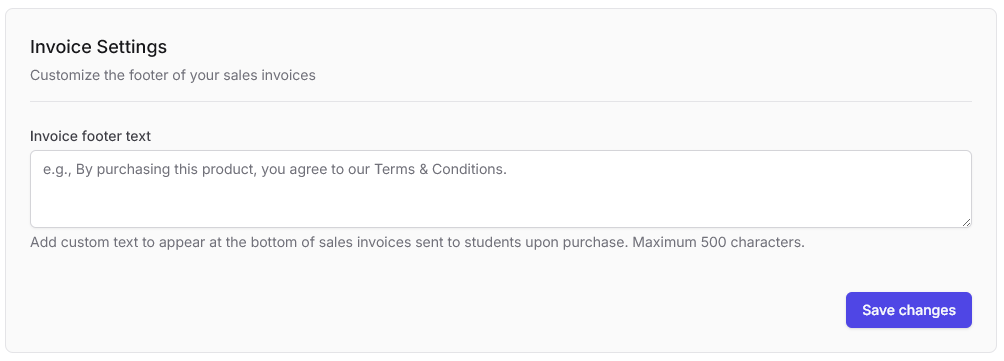
Customize the text that appears at the bottom of all your sales invoices.
### Configure invoice footer
* **Invoice footer text**: Enter custom text that will appear at the bottom of all sales invoices sent to students upon purchase.
* **Character limit**: Maximum 500 characters.
* **Placeholder example**: "e.g., By purchasing this product, you agree to our Terms & Conditions."
The data added here will show up at the bottom of all your sales invoices. This is useful for adding legal disclaimers, terms and conditions references, or any other important information you want to include on every invoice.
### Best practices
* Keep the text concise and professional.
* Include references to your Terms of Service or Privacy Policy if applicable.
* Add any required legal disclaimers or compliance information.
* Consider including contact information for invoice-related inquiries.
After entering your invoice footer text, click **Save changes** to apply the updates to all future invoices.