> ## Documentation Index
> Fetch the complete documentation index at: https://docs.fermion.app/llms.txt
> Use this file to discover all available pages before exploring further.
# Custom Sidebar Links
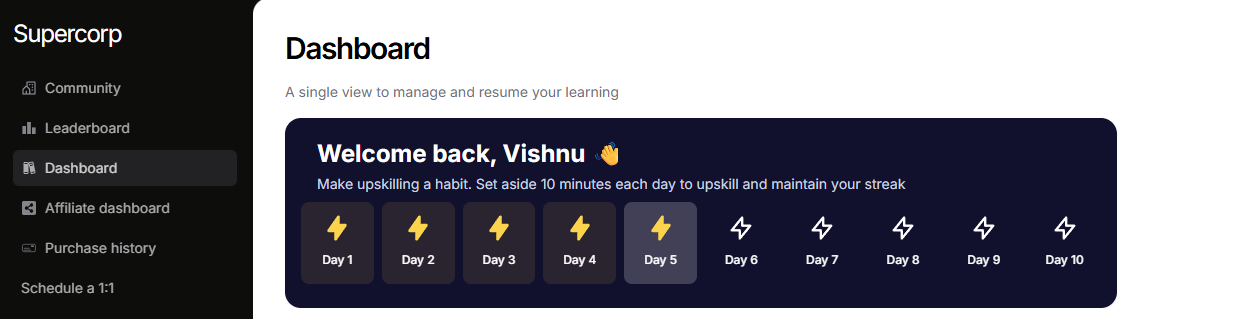
> Instructors can add **custom links** to your **User Dashboard sidebar**.
Custom sidebar links allow instructors to personalize the **User Dashboard sidebar** by adding links to any resources, tools,
or documentation that students frequently need. This feature makes navigation faster and more intuitive,
giving students direct access to important materials without having to hunt through emails or separate platforms.
You can use Custom Links for anything from scheduling third party events, linking to guides or assignments, integrating external tools, or providing quick access to your team’s resources - all right from the user dashboard.
## How to add a custom sidebar link
Follow these steps to add a custom link in your user dashboard sidebar
Navigate to **Settings** → **User Dashboard** in your sidebar.
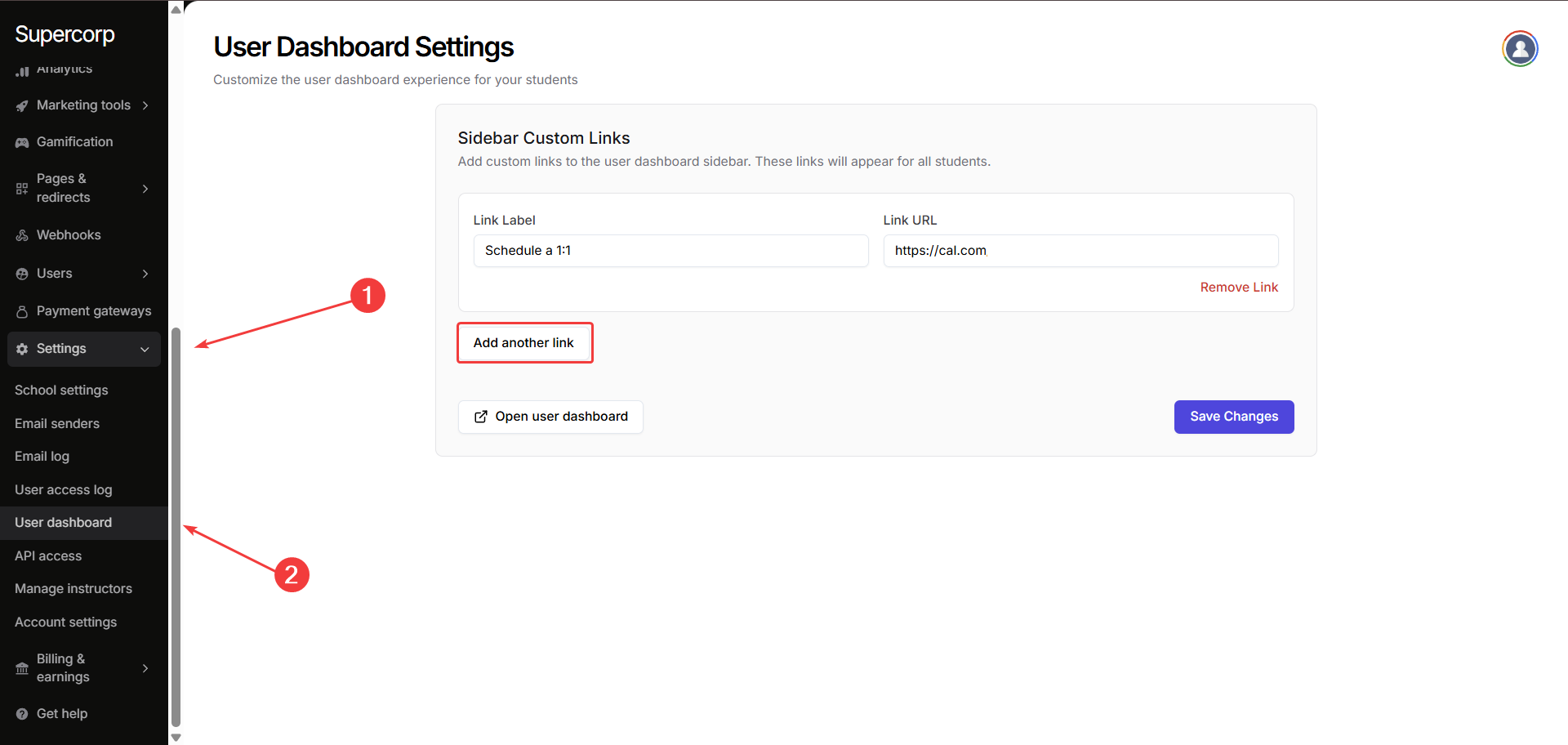
Click **Add another link** to create a new custom link.
Provide the **Link Label** and **Link URL** for the new link.
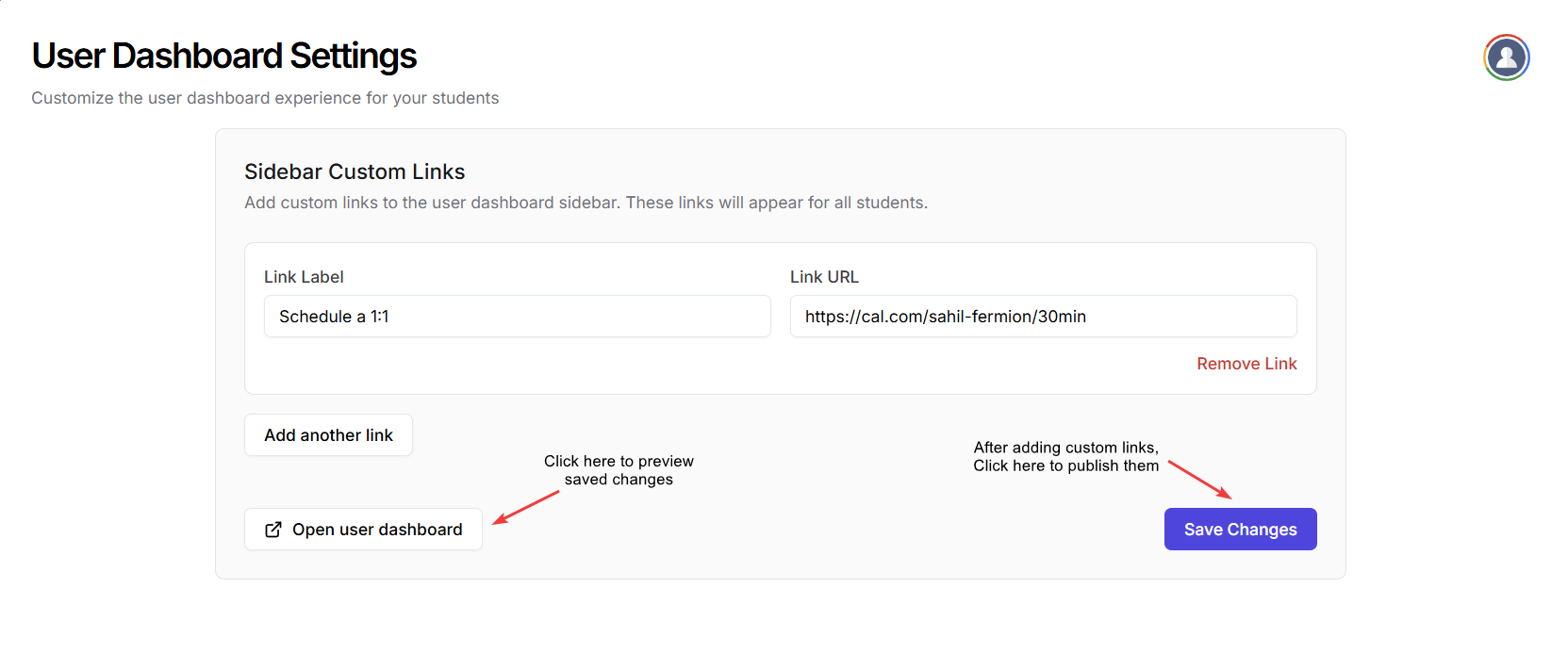
Click **Save Changes** to publish the custom links.
Preview the new user dashboard by clicking the **Open user dashboard** button.
***
## Hide the 'Back to homepage' button
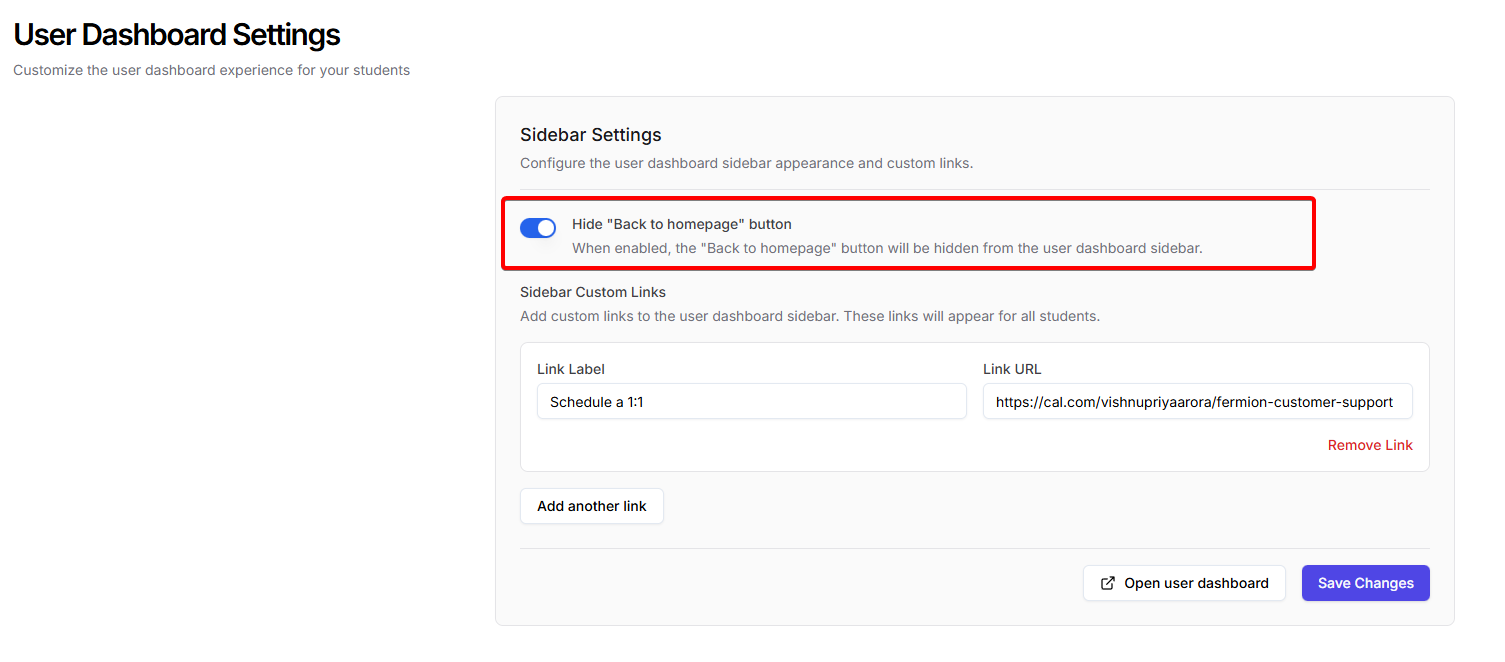
If you want a more focused user dashboard, you can choose to hide the **Back to homepage** button for students.
Toggle the **Hide Back to homepage button** setting while editing your user dashboard links.
## Next steps
View and track all emails sent from your platform.
Enable or disable features for your school, and configure your platform’s available functionalities.