> ## Documentation Index
> Fetch the complete documentation index at: https://docs.fermion.app/llms.txt
> Use this file to discover all available pages before exploring further.
# Live Chat
> Enable real-time communications with the help of Live Chat to keep students engaged and informed
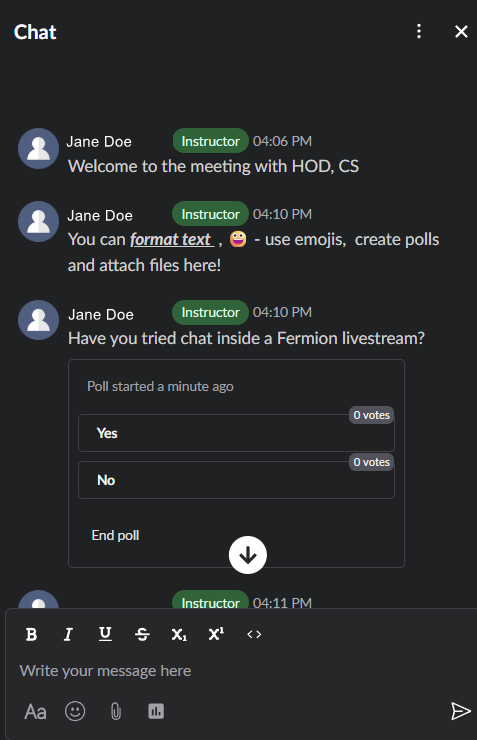
Fermion's live chat feature enables real-time communication between instructors and students during [live sessions](/live-classes/what-are-live-classes). The chat interface supports rich interactions including direct messaging, user mentions, file attachments, and interactive polls, creating an engaging learning environment where students can actively participate and collaborate.
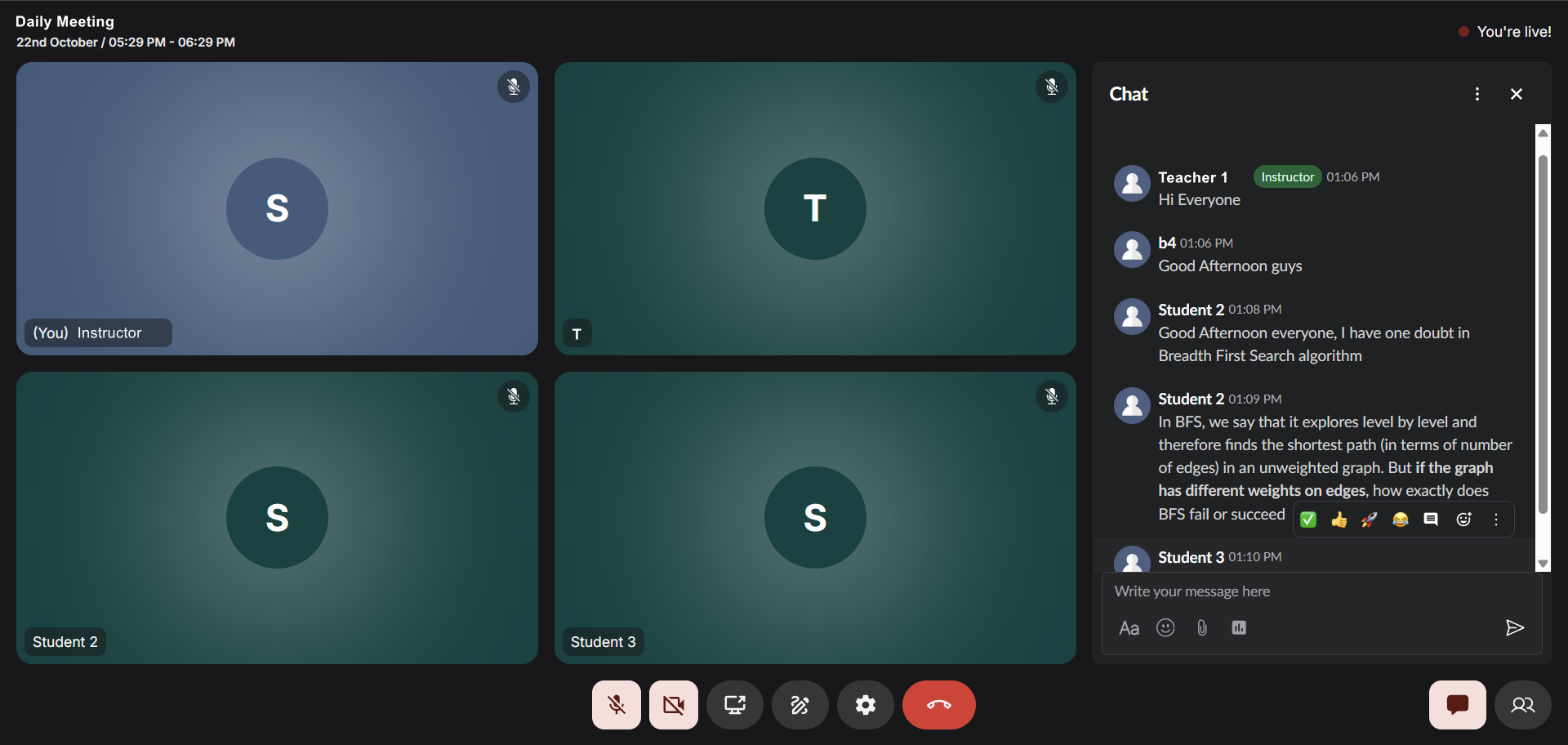
## High-volume chat
The chat system is designed to handle high-volume conversations with thousands of participants simultaneously, ensuring smooth communication even in large-scale live sessions. Messages are delivered instantly, allowing for dynamic Q\&A sessions, quick clarifications, and spontaneous discussions that enhance the learning experience.
## Instructor and student engagement
Instructors can leverage the chat to gauge student understanding, collect instant feedback, and maintain engagement throughout the session. Students can tag specific participants using @ mentions to direct questions or responses, share relevant files and resources, and participate in polls to provide collective input on topics being discussed.
## How to access chat during a live session
Click on the chat button in the bottom right pane inside a livestream to access live chat.
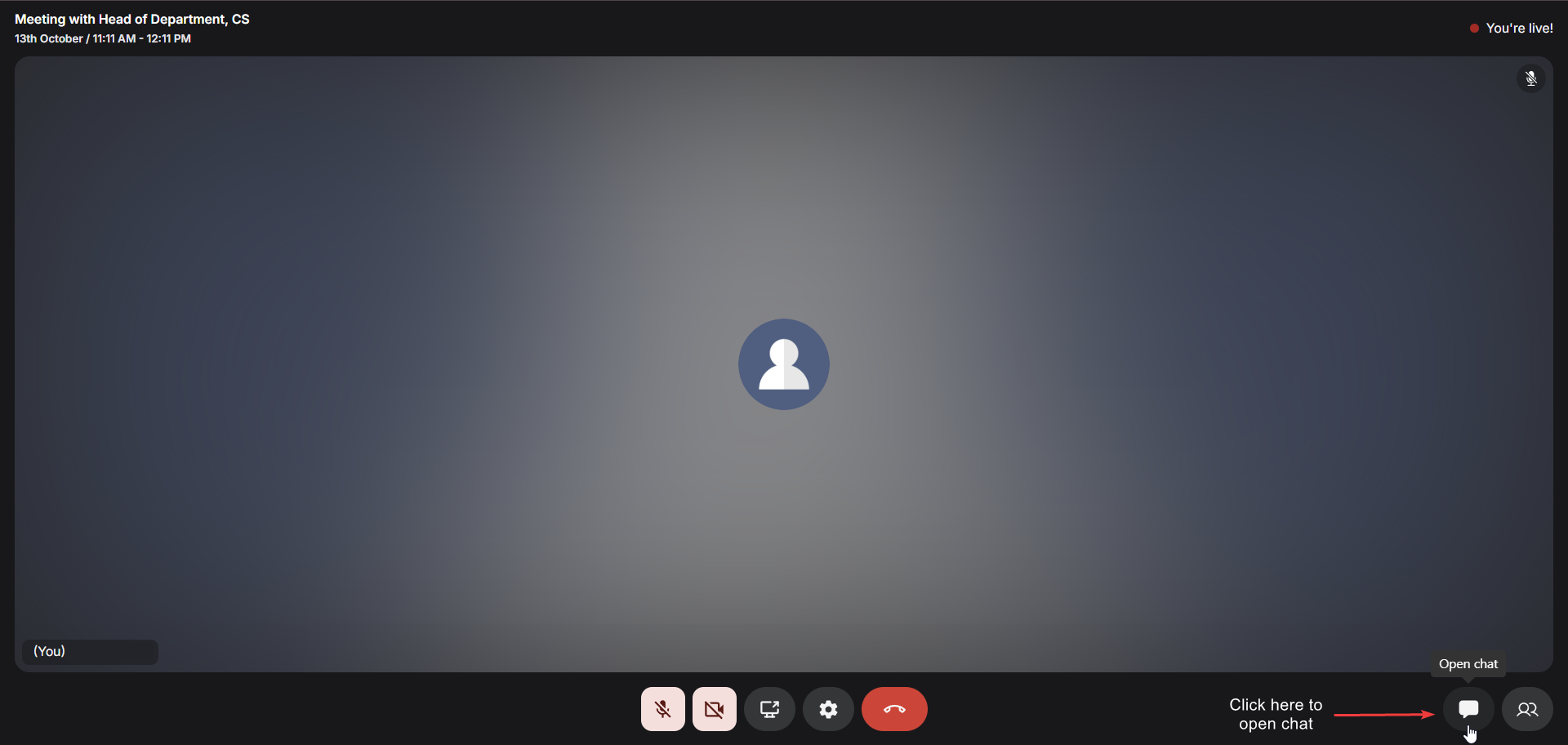
The chat interface remains accessible throughout the entire live session and can be used alongside other features like screen sharing and stage participation. All chat messages are preserved and can be reviewed after the session ends, providing a valuable reference for both instructors and students.
## Live Chat Popout
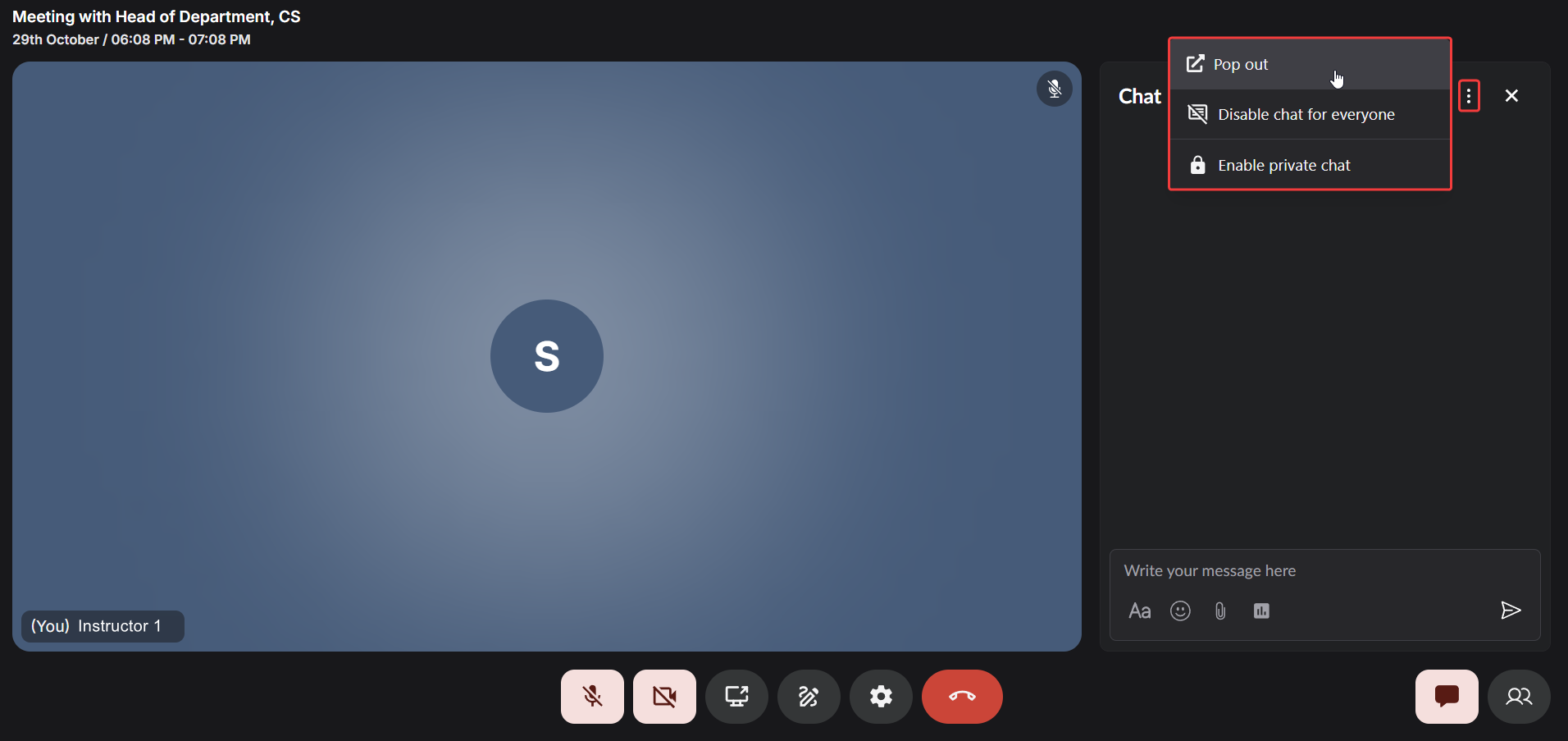
The Live Chat Popout feature allows participants to detach the chat interface into a separate browser window, providing greater flexibility during live sessions. This enables learners to follow the discussion while navigating other parts of the session or reviewing shared materials.
If a participant wishes to return to the main interface, they can easily restore the chat by clicking **Restore Chat** inside the livestream window, instantly bringing the chat back to its original position.
## Disable Chat for Everyone
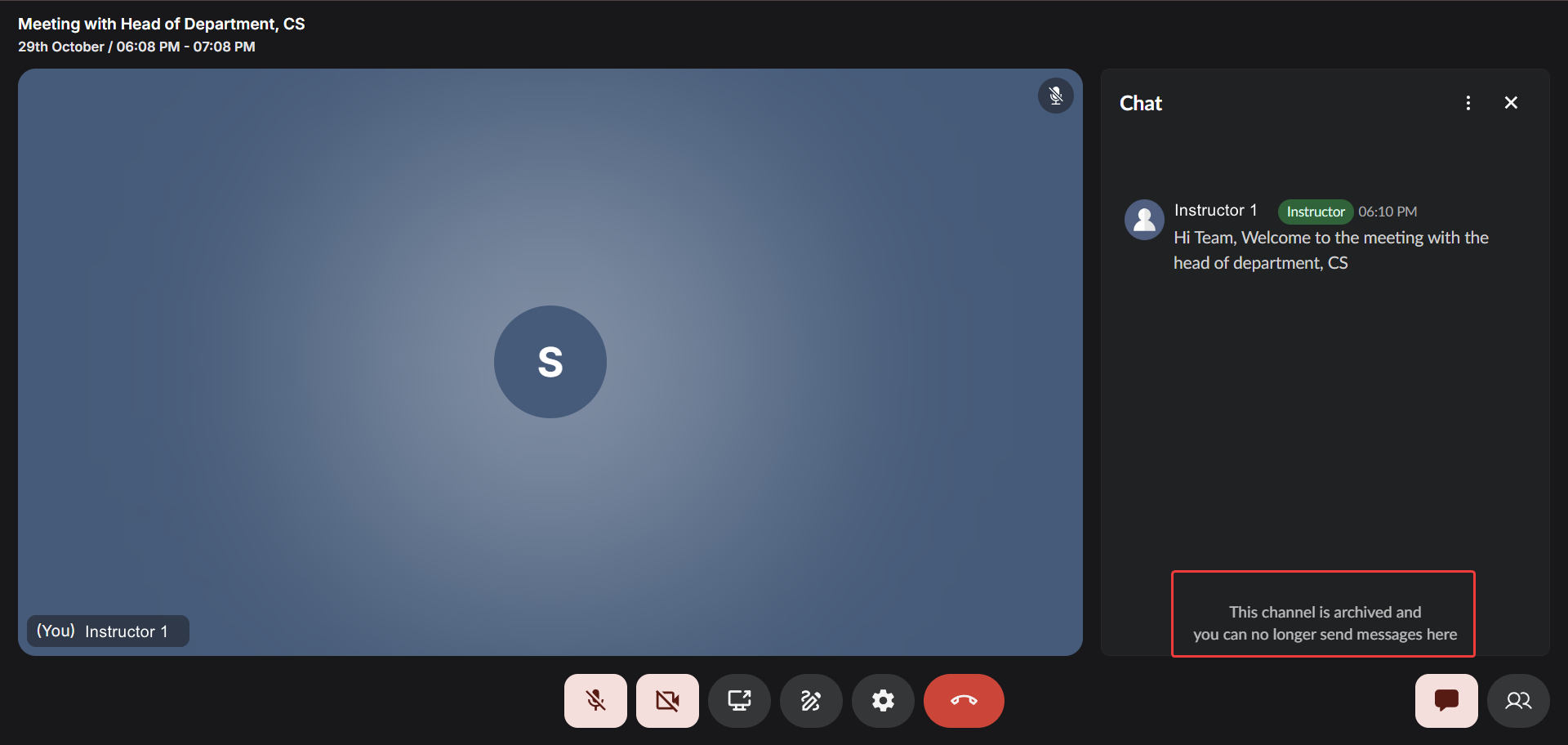
Instructors can now temporarily disable the chat for all participants with a single click. This is especially useful during important explanations, presentations, or assessments where focus is essential. When disabled, all participants will see a message indicating that chat is currently unavailable until re-enabled by the host.
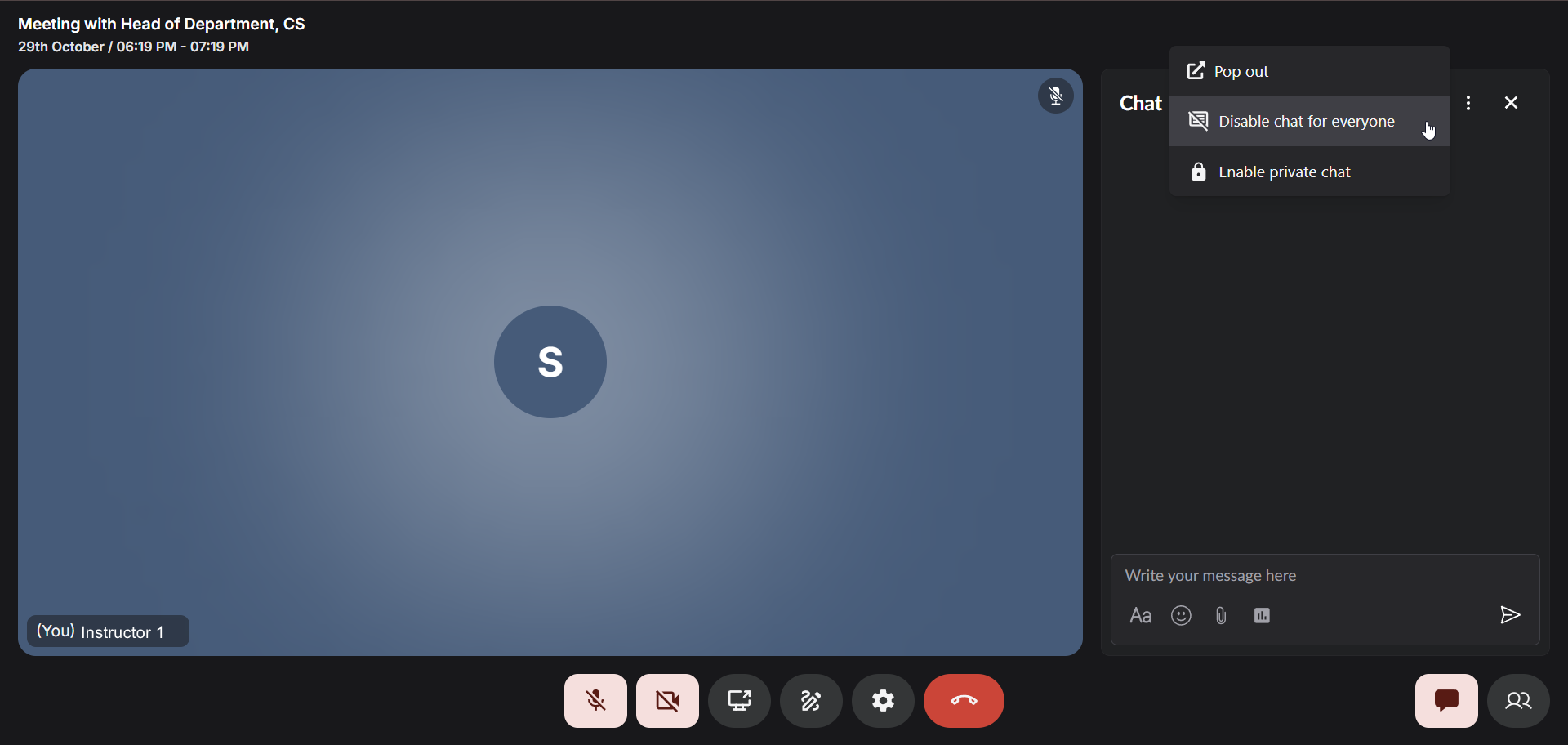
After you disable the chat with this button, nobody will be able to message inside the chat.
## Private Chat Mode
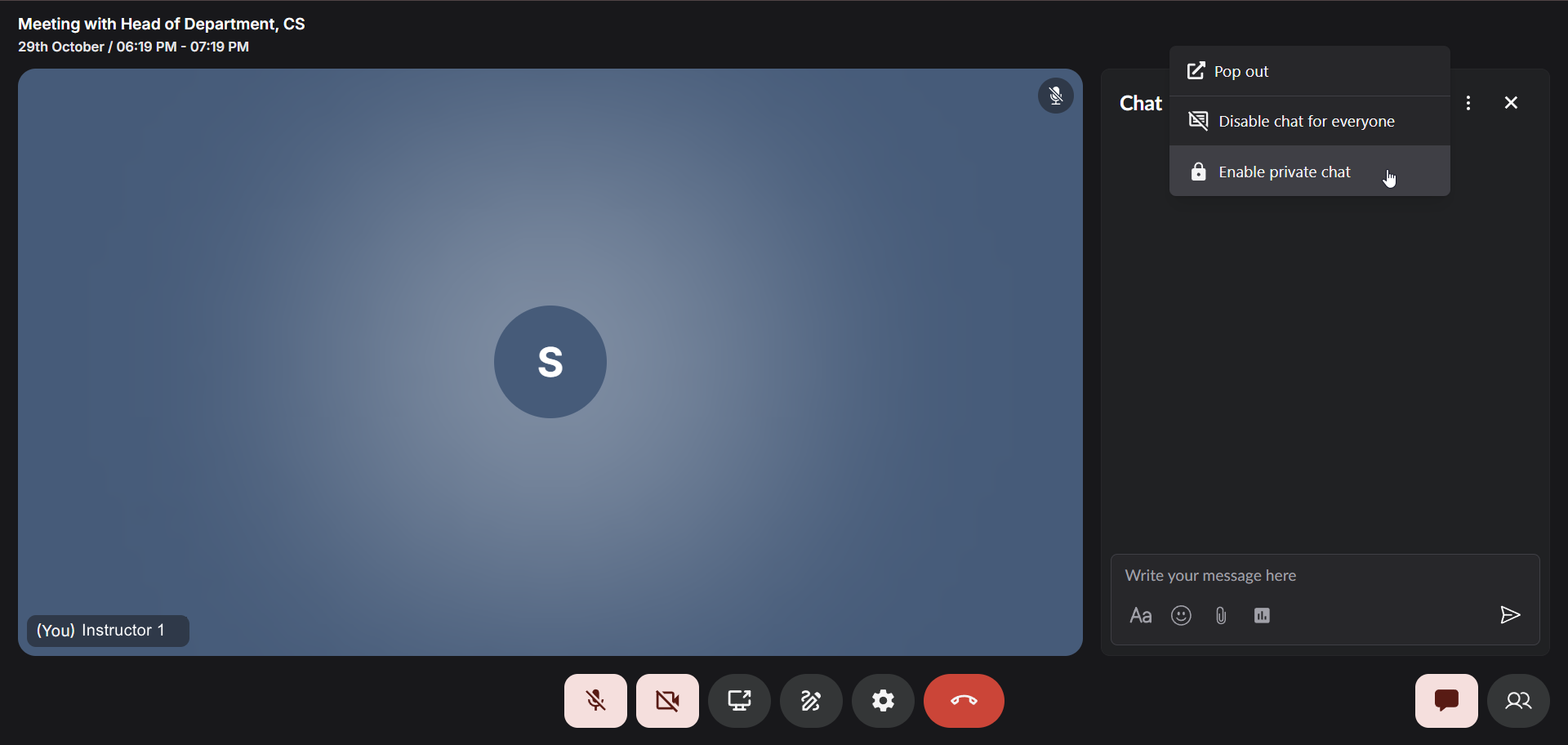
The Private Chat Mode provides a structured and secure way to manage direct communication during sessions.
In this mode:
Hosts can read all messages and reply to any participant.\
This gives them complete visibility and control over conversations, ensuring productive and moderated communication throughout the live session.
Participants can only view and reply to messages from the host and their own messages, ensuring privacy and minimizing distractions.\
Messages from other participants remain hidden, creating a focused and one-on-one communication experience.
Messages from other participants remain hidden, maintaining a clear and moderated communication channel. This mode is ideal for conducting Q\&A sessions, handling sensitive discussions, or maintaining discipline during large-scale live events.
## Key capabilities
Fermion's live chat is designed to make real-time communication seamless and engaging for both instructors and students. From instant messaging to collaborative interactions, the chat ensures that learning remains interactive, organized, and productive throughout the session.
{' '}
Send and receive messages instantly with zero lag, even with thousands of active participants in
the session.
{' '}
Tag specific students or instructors using @ mentions to direct questions, responses, or draw
attention to important points.
{' '}
Share documents, images, code snippets, and other resources directly in the chat for immediate
access by all participants.
{' '}
Create quick polls to gather student opinions, test understanding, or make collective decisions
during the live session.
{' '}
All chat messages are preserved and accessible after the session, allowing students to review
discussions and shared resources.
{' '}
Instructors have the ability to manage chat behavior, ensuring a productive and respectful
learning environment.