> ## Documentation Index
> Fetch the complete documentation index at: https://docs.fermion.app/llms.txt
> Use this file to discover all available pages before exploring further.
# Clone Live Classes
> Learn how to clone a live class from one cohort-based course to another in just a few clicks.
Cloning a [live class](/live-classes/what-are-live-classes) allows you to quickly reuse an existing session setup, including the title, timing, and hosts, in another [cohort-based course](/setting-up-course/prerequisites#what-is-a-cohort-based-course%3F) without having to create everything from scratch. It’s a simple way to save time and maintain consistency when running multiple cohorts or repeating sessions for new batches.
You can clone a live event inside another cohort-based course you have on the platform. This
allows you to go live at once in two or more courses.
## Steps to clone a live class
You can clone a live class from one cohort based course to another with the help of the following steps:
From your dashboard, navigate to the **Courses** section.
Select the **Cohort-based Course** that contains the live class you want to clone. 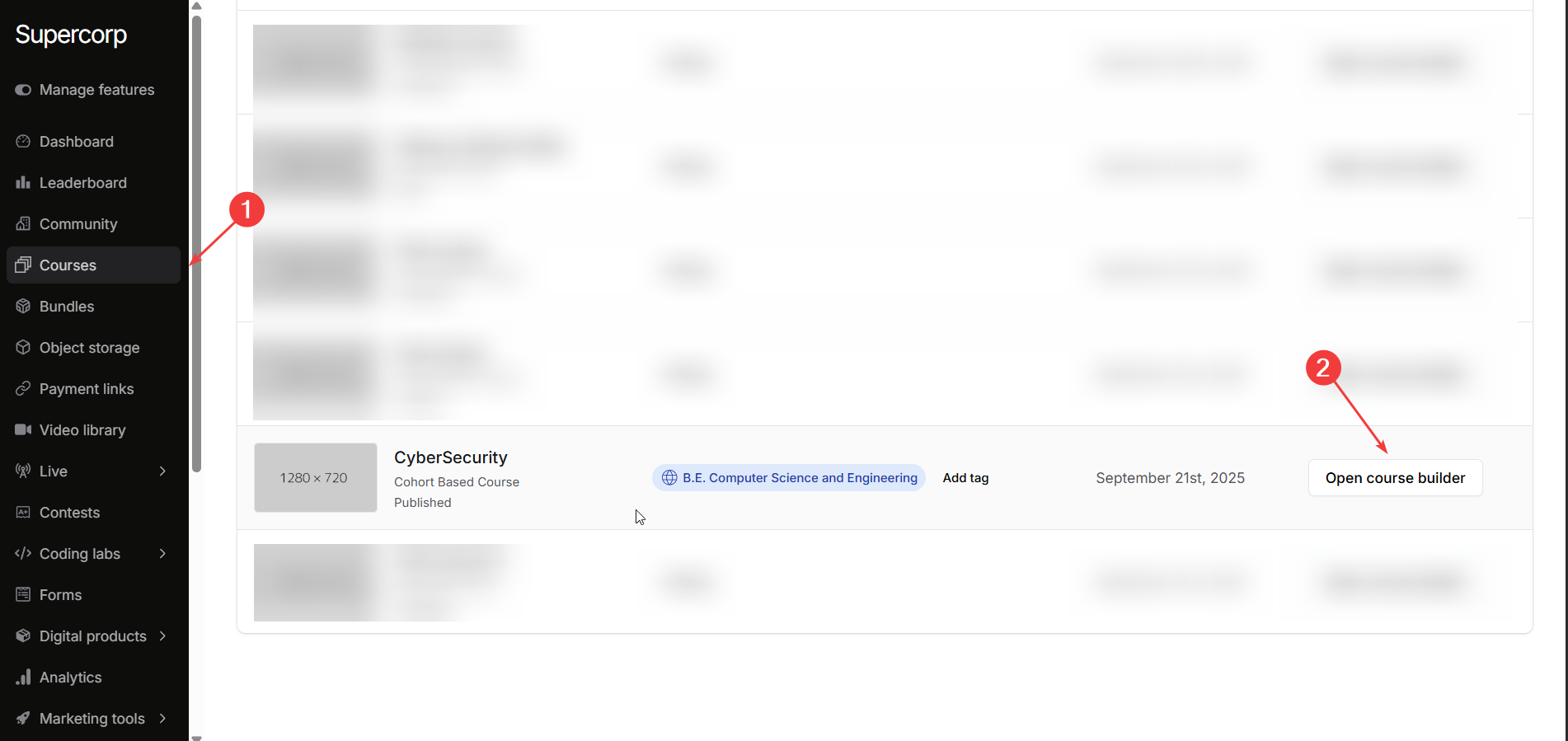
Navigate to the **Syllabus** section of the selected course.
Click the **three dots (⋮)** next to the live class you want to duplicate.
Choose **Clone in another CBC** from the dropdown menu. 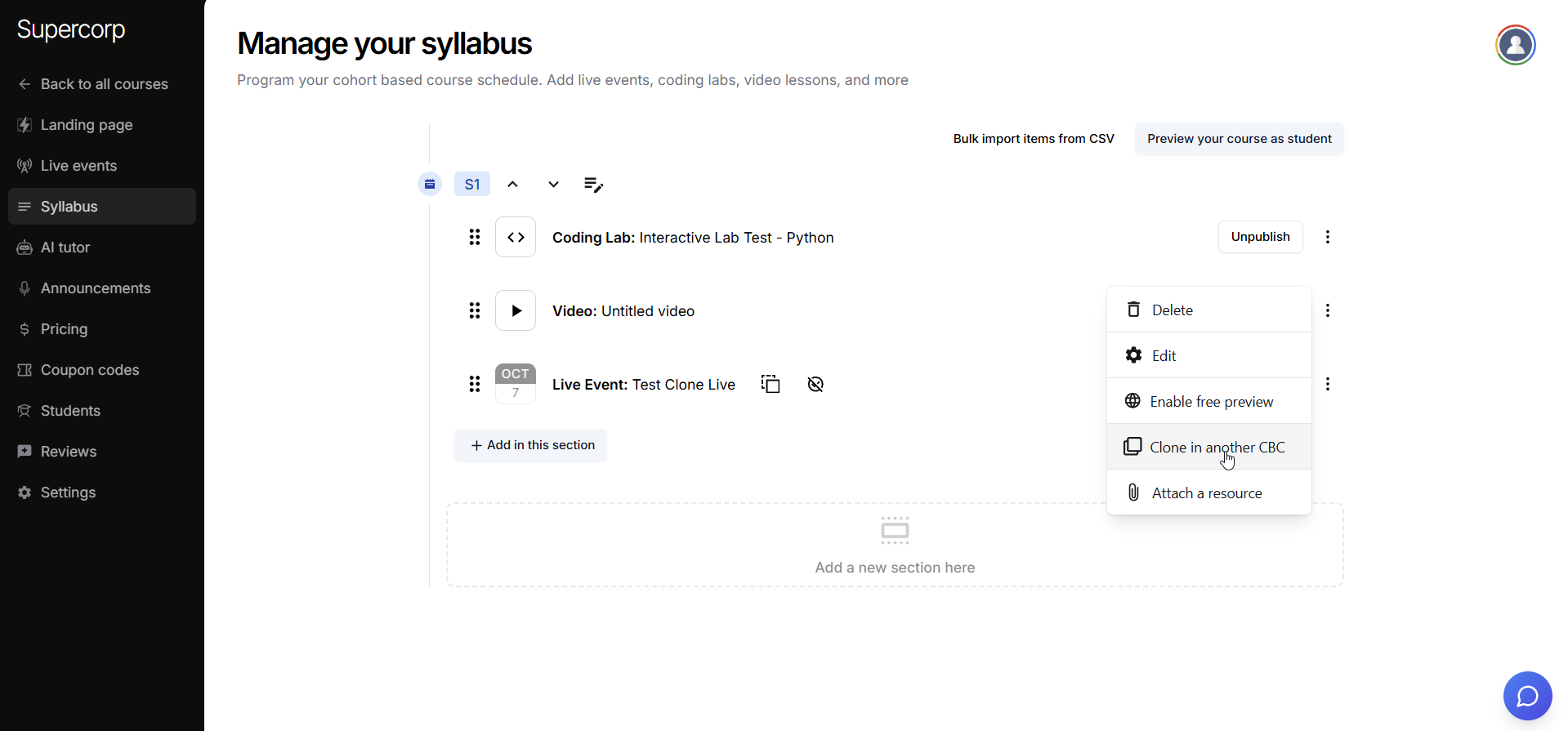
From the list, select the cohort-based course you want to clone the class to.
Click **Add Class in this course** to confirm. 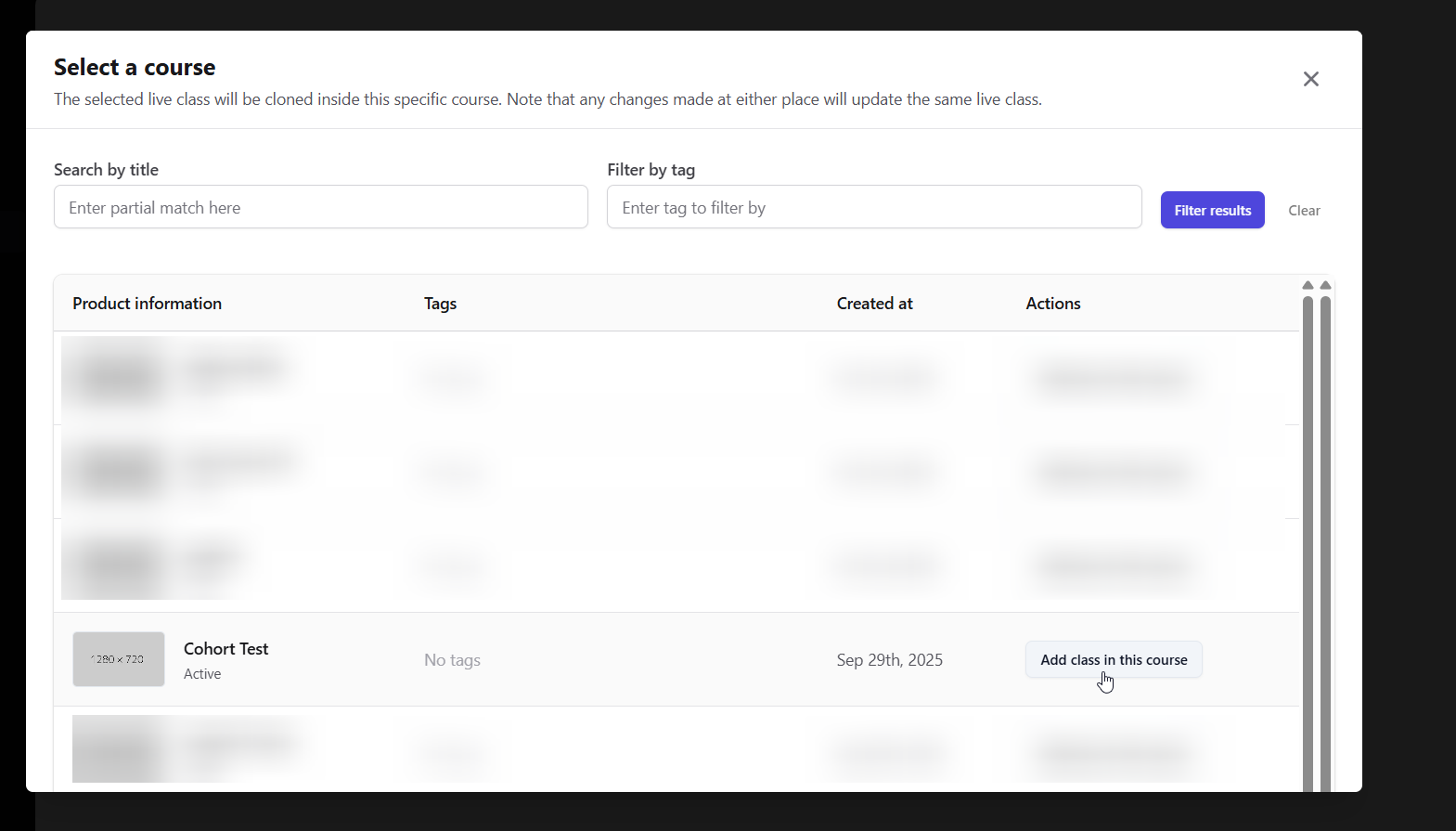
Once cloned, the live class will appear in the target course’s syllabus with all its original details intact, including the title, timing, and hosts. Cloning saves time and ensures consistency across multiple cohorts, so you can focus on delivering great sessions rather than recreating content.
Use cloning when running recurring sessions, orientation classes, or live events that need to be
repeated across multiple courses. It helps maintain a consistent experience for all learners.