> ## Documentation Index
> Fetch the complete documentation index at: https://docs.fermion.app/llms.txt
> Use this file to discover all available pages before exploring further.
# Overview
> Learn how to enable gamification on your Fermion platform to increase engagement, retention, and learner motivation.
Gamification adds game-like elements such as points, streaks, and leaderboards to your platform, making learning more engaging and motivating. By rewarding learners for completing actions, you can boost activity and retention while providing a fun and interactive learning experience. Instead of just passively consuming content, learners are encouraged to actively participate, attempt exercises, and complete courses to earn rewards.
## Why gamification is important for learners
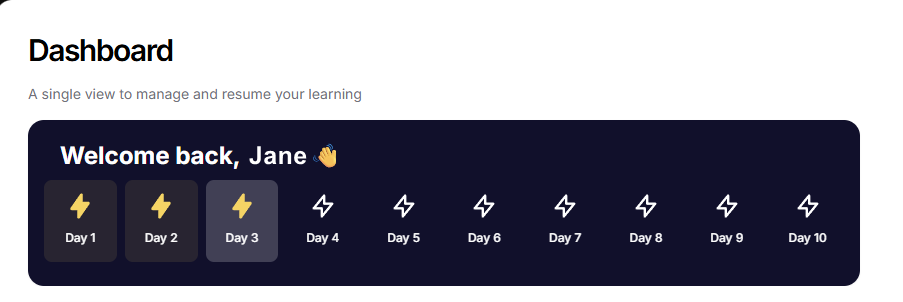
Gamification leverages the natural human desire for achievement, recognition, and friendly competition. Points, badges, and streaks create a sense of accomplishment, motivating learners to stay consistent and complete tasks. Leaderboards foster healthy competition, while streaks and regular rewards help users form productive study habits and maintain engagement over time.
## Why gamification is important for instructors
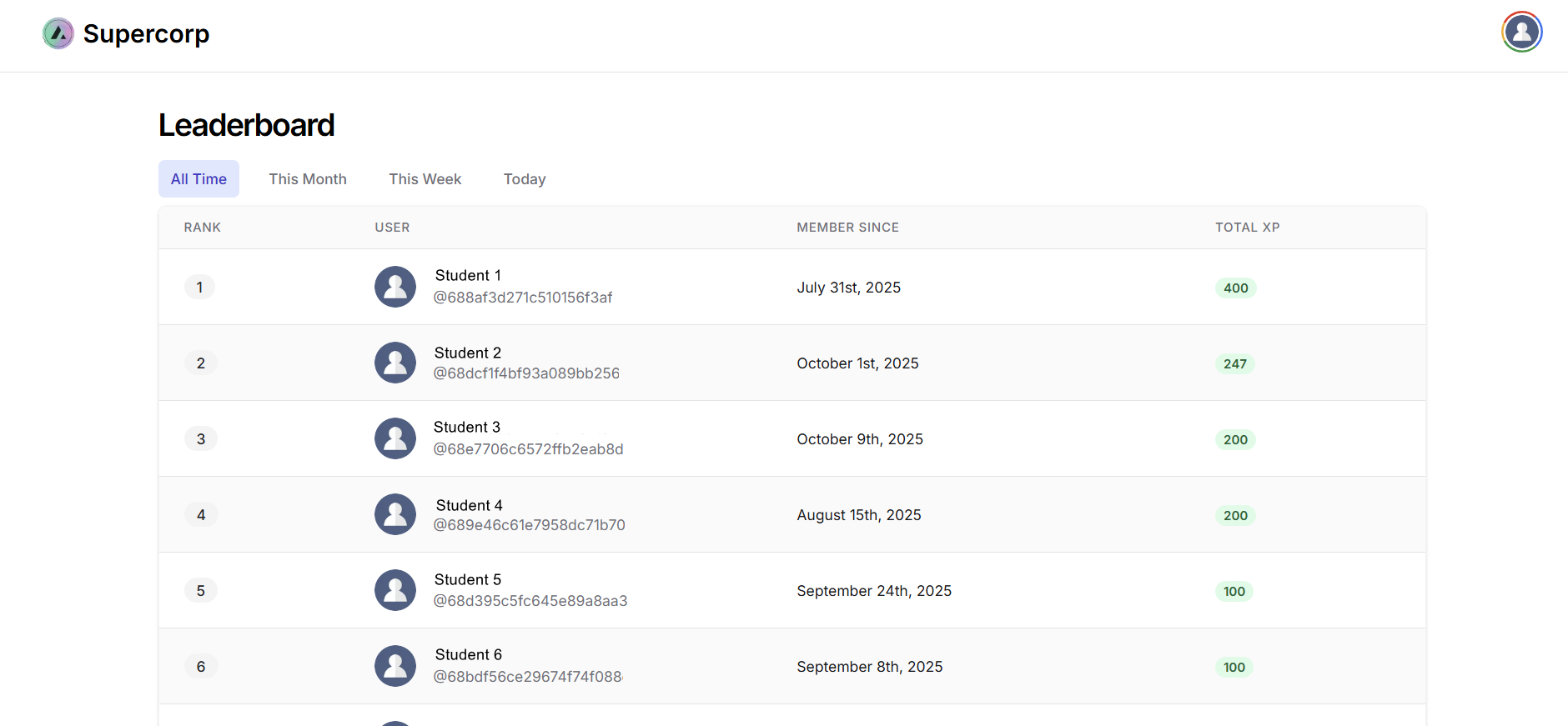
For instructors and platform admins, gamification provides valuable insights into learner behavior. You can identify top performers, track which content items drive the most engagement, and adjust rewards to encourage specific actions. By making achievements and milestones visible, learners gain a clear sense of progress, and the overall user experience becomes more satisfying and enjoyable.
Head over to the **Leaderboard** section in your sidebar to look at the top performers!
## How to enable gamification
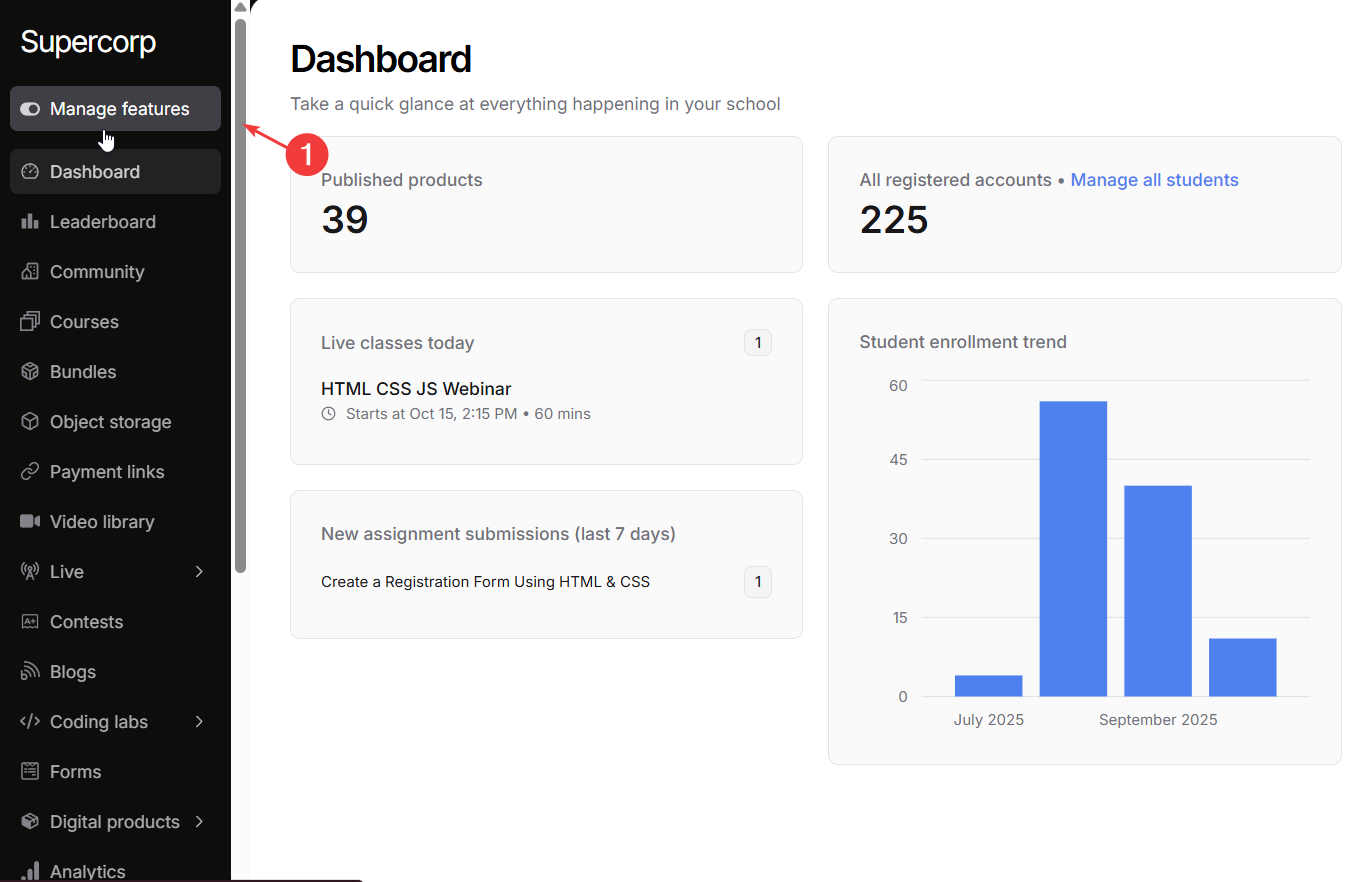
Head over to the **Manage Features** section in your instructor dashboard sidebar. This section lists all the configurable features available on your platform.
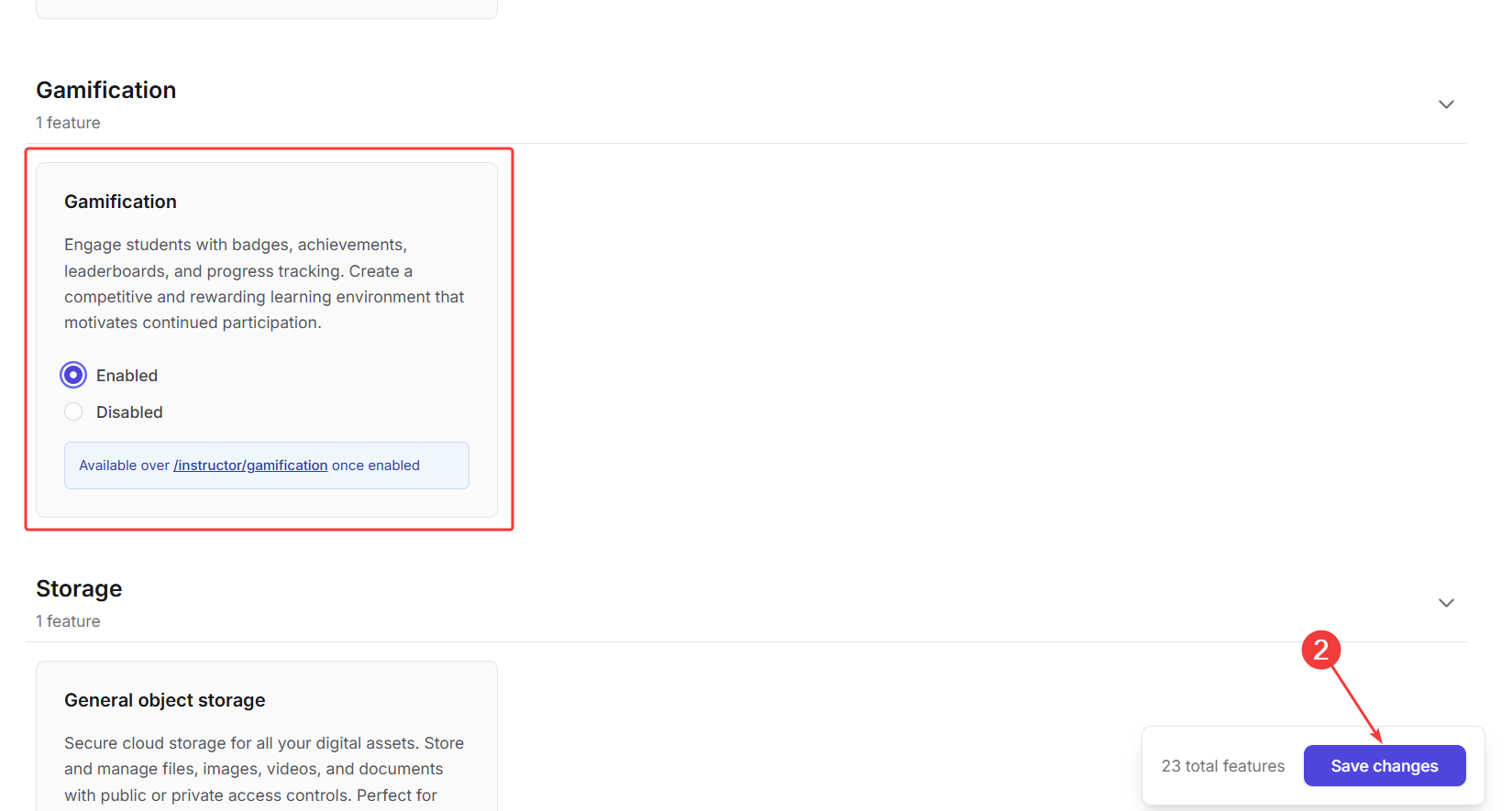
Scroll down the list of features until you find **Gamification**. Click on the **Enable** toggle to enable gamification across ur school. Click on **Save changes** to apply your changes.
## Next steps
Learn about XP rewards, streaks, leaderboards, and all the ways you can make learning engaging and motivating on your Fermion platform.